1. Action Required – Candidate Review
This email is sent when recruiter action is required for a candidate.
The email asks you to:
- Review the candidate profile
- Check screening details
- Decide the next hiring step based on job criteria
Helps ensure candidates move smoothly through the hiring workflow
(Refer to the screenshot below for the email format.)
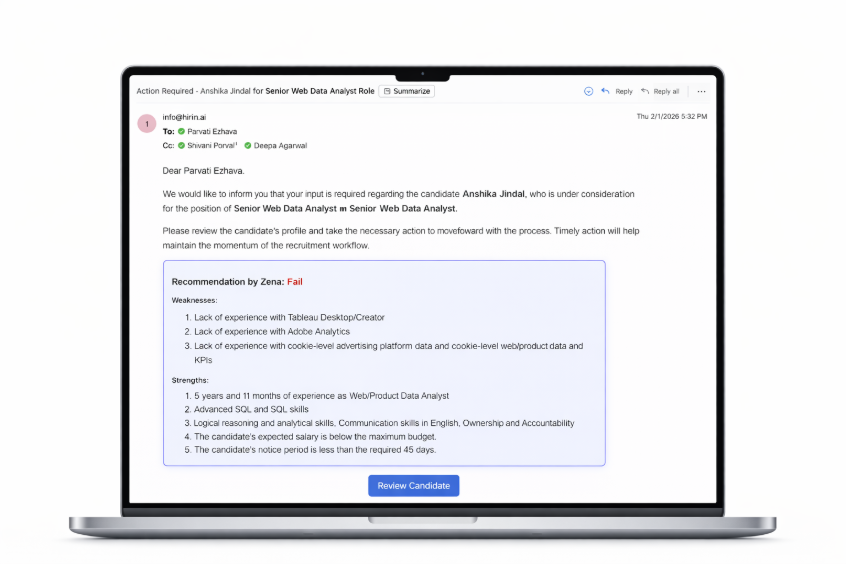
Figure 1: 1. Action Required – Candidate Review
2. Candidate Application Reopened
- This email is triggered when a candidate reopens their application for a job role.
- The candidate will continue the process from the same stage where it was previously paused.
- Helps recruiters stay updated on reactivated applications
- (Refer to the screenshot below for the email format.)
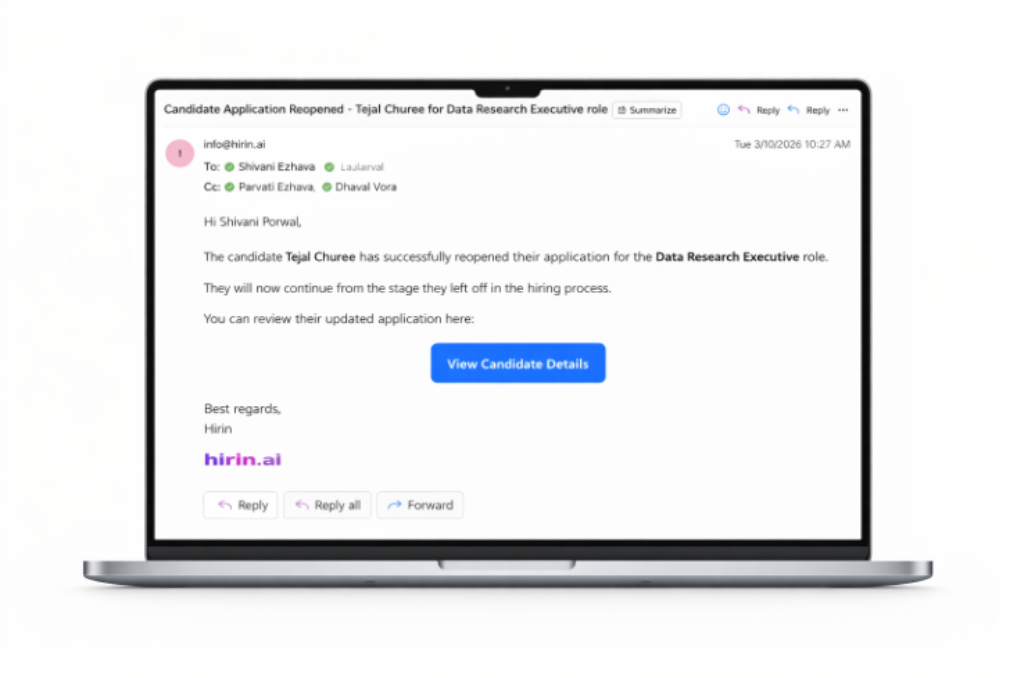
Figure 2: 2. Candidate Application Reopened
3. Candidate Screening Notification
This email informs you that the candidate details have been successfully shared with the Hiring Manager.
The Hiring Manager is requested to:
- Review the candidate profile
- Check screening documents
- Decide whether to proceed further
In most cases, no recruiter action is required at this stage
(Refer to the screenshot below for the email format.)
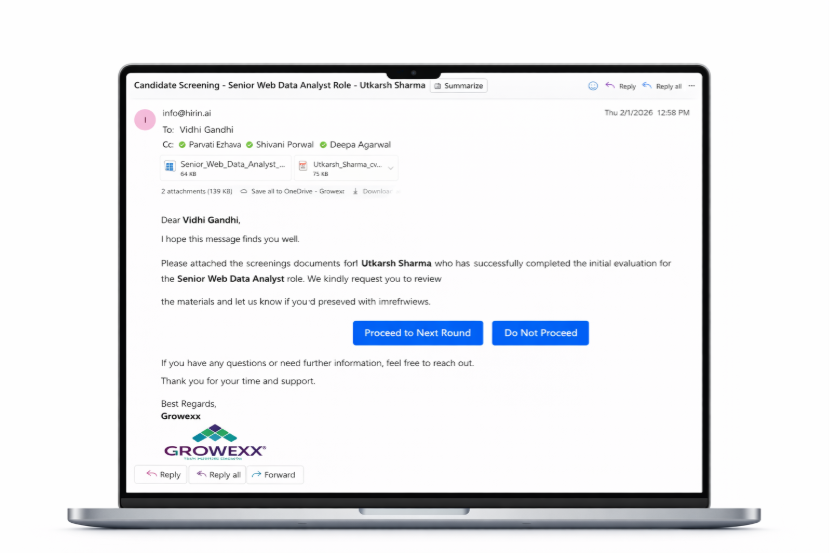
Figure 3: 3. Candidate Screening Notification
4. Interview Scheduling Notification
This email notifies you that the candidate has been approved for the next interview round by the Hiring Manager.
After approval:
- WhatsApp communication is sent for interview slot confirmation
- Scheduling process begins automatically
Usually, no recruiter action is required unless an escalation is raised
(Refer to the screenshot below for the email format.)
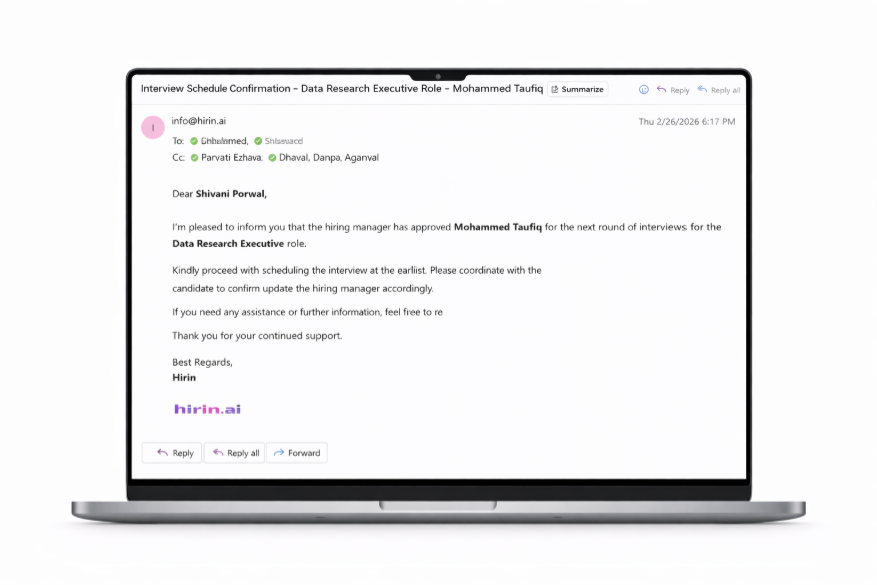
Figure 4: 4. Interview Scheduling Notification
5. Interview Scheduling Escalation
This email is sent when interview scheduling is delayed.
Common reasons include:
- Hiring Manager availability pending
- Candidate availability pending
In such cases, recruiters may need to:
- Follow up with the Hiring Manager
- Coordinate with the candidate
- Help complete scheduling faster
Helps avoid delays in the interview process
(Refer to the screenshot below for the email format.)
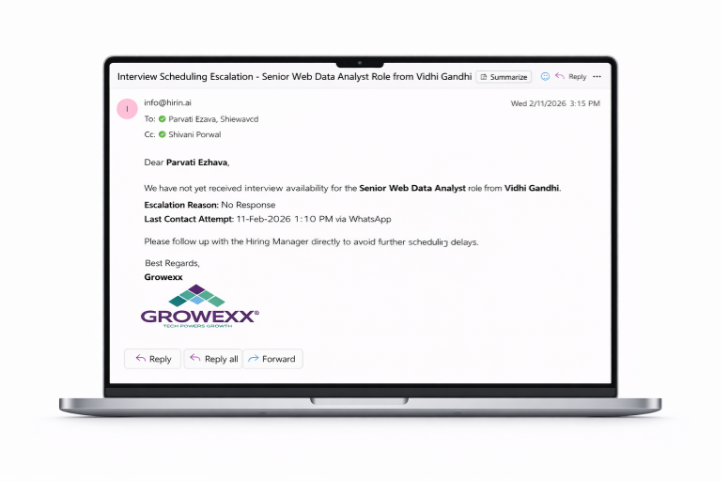
Figure 5: 5. Interview Scheduling Escalation
6. Upcoming Interview Notification
This email confirms details of an upcoming interview.
It includes:
- Interview date
- Time
- Interview format
- Candidate details
Helps recruiters stay informed about scheduled interviews and upcoming activities
(Refer to the screenshot below for the email format.)
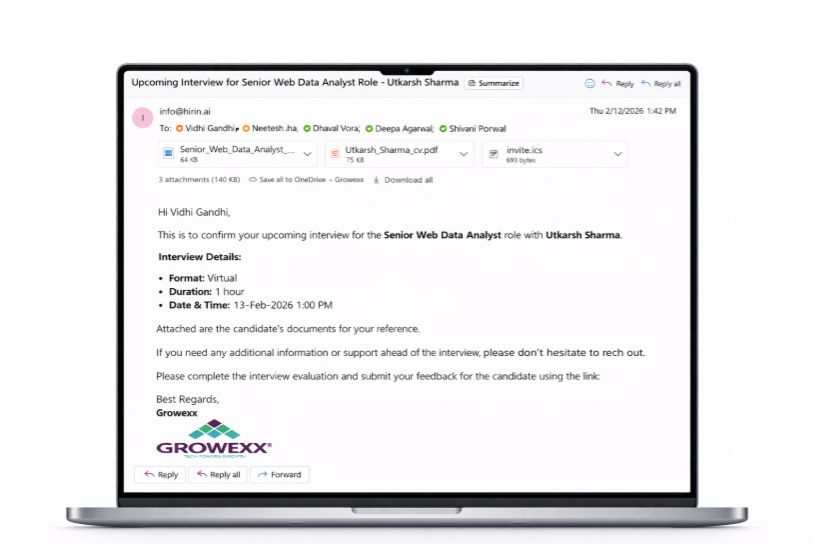
Figure 6: 6. Upcoming Interview Notification
7. Interview Feedback Received
This email informs you that interview feedback has been submitted by the Hiring Manager.
Recruiters can then:
- Review the feedback
- Decide the next step in the hiring process
Ensures faster decision-making and smoother candidate movement
(Refer to the screenshot below for the email format.)
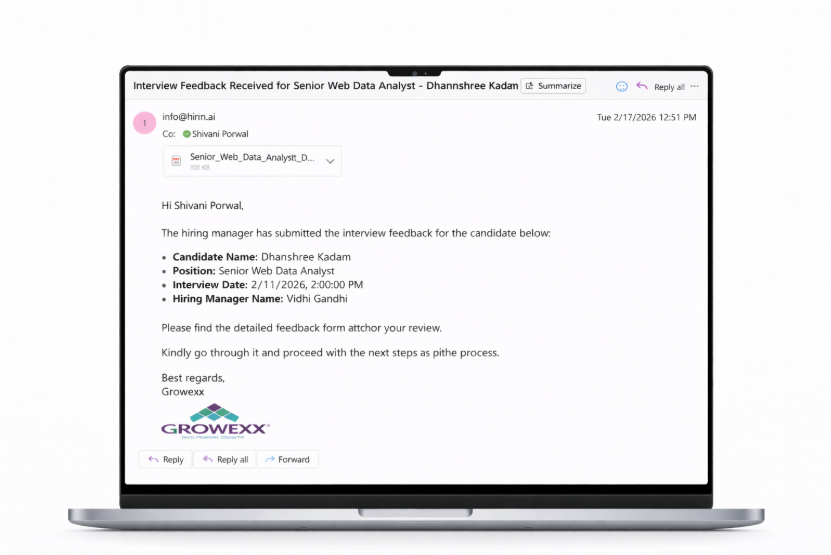
Figure 7: 7. Interview Feedback Received
8. Attach Verified Documents in Offer Call Email
- Verified candidate documents are now automatically attached in the Offer Call email shared with the candidate.
- Recruiters and Job Collaborators are kept in CC within the email communication for visibility and tracking purposes.
Value for Recruiters
- With this feature, recruiters can:
- Access verified documents directly from the email
- Reduce manual document sharing efforts
- Improve document visibility during offer discussions
- Track candidate communication efficiently through CC notifications
- Ensure faster and smoother offer processing workflows
Helps recruiters manage offer communication and document tracking more efficiently within the hiring workflow.
Was this article helpful?
That’s Great!
Thank you for your feedback
Sorry! We couldn't be helpful
Thank you for your feedback
Feedback sent
We appreciate your effort and will try to fix the article