The Reports section in Hirin.ai allows Admin users to generate summary reports that provide insights into hiring activity, candidate progress, and overall recruitment performance across jobs or pipeline stages.

- Open Hirin login page https://companyname.hirin.ai/
- You will see standard login page to enter email id and password.
- Once you login on home page Navigate to the Reports Section located in the left sidebar menu.
- Click on Reports to open the reporting dashboard.
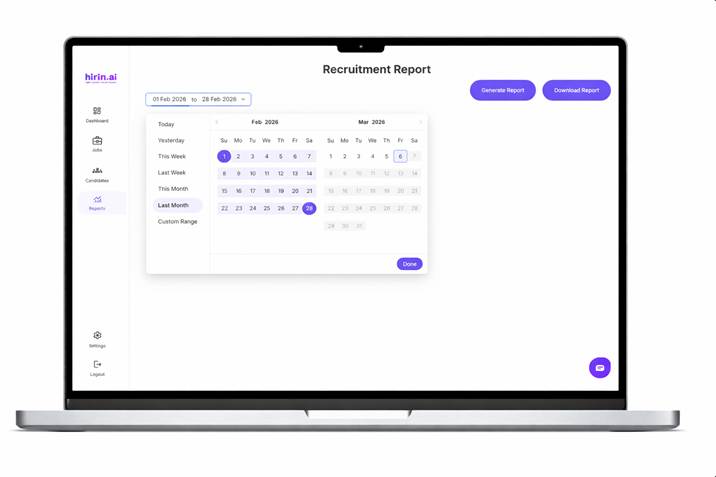
- Choose the start date and end date for which you want to generate the report.T he selected range will determine the hiring data included in the report.
- Click the Generate button.
- Once the report is generated, click Download
Important Notes
- The Reports section is accessible only to Admin users.
- Ensure the correct date range is selected before generating the report.
Was this article helpful?
That’s Great!
Thank you for your feedback
Sorry! We couldn't be helpful
Thank you for your feedback
Feedback sent
We appreciate your effort and will try to fix the article