Step 1: Configure Job Details
Enter job details such as Role, Experience, and Description, then set the Number of Questions and Interview Duration in the interview configuration step of the workflow, and click Next. This establishes the overall interview structure and role requirements.
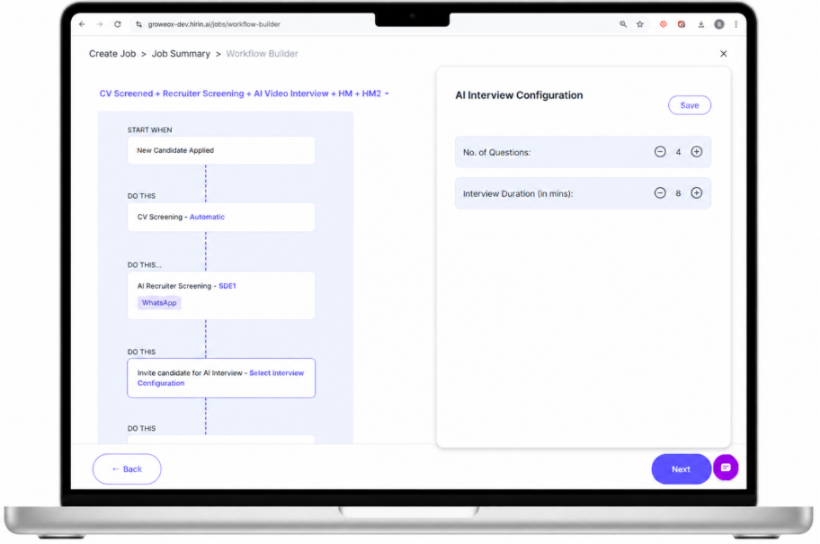
Figure 1: Configuring job and interview details
Step 2: Define Key Skills
- Add or review the required skills (e.g. JavaScript, React, Node.js).
- Select the skill level and set the number of questions per skill.
- Click Generate Questions.
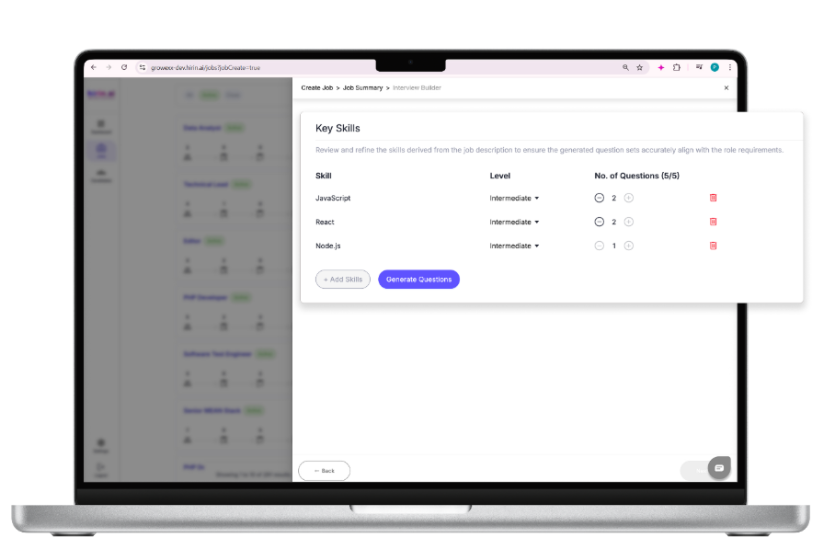
Figure 2: Defining key skills and levels
Step 3: Generate & Review Questions
AI-generated questions appear under each skill. Review and modify them as needed. You can Add Custom Question, Generate Questions with Zena (AI), and edit questions using the pencil icon.
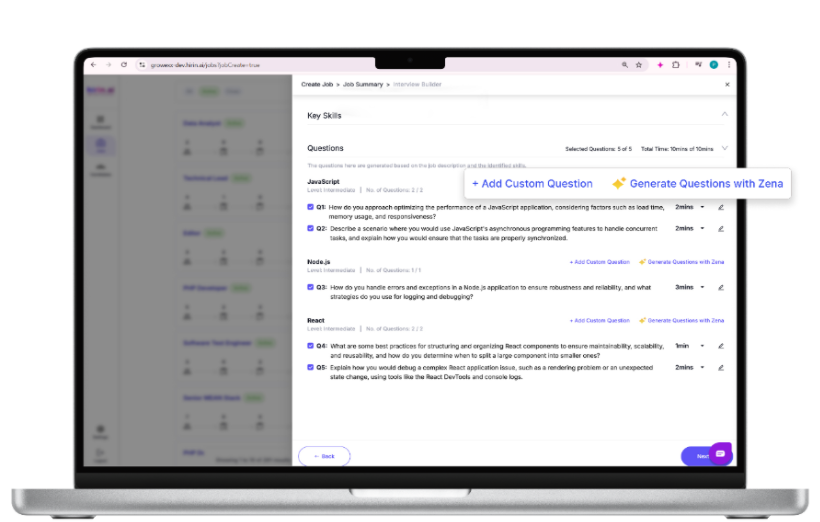
Figure 3: Reviewing and customising AI-generated questions
Step 4: Save or Publish
- Use Save as Draft to keep the job unpublished while you finish configuring it.
- Click Publish Job when ready. Once published, the job appears on the Jobs page, candidates enter the pipeline, and automated workflows begin.
Was this article helpful?
That’s Great!
Thank you for your feedback
Sorry! We couldn't be helpful
Thank you for your feedback
Feedback sent
We appreciate your effort and will try to fix the article