Follow the steps below to export candidate data from the platform:
Access Candidates
- Login to your Hirin.ai account
- Go to the Candidates tab from the left sidebar
- You will see the list of all candidates
Apply Filters
Use filters to export the exact candidate data you need.
Available filters:
- Job
- Stage
- Source
- Date
- And more
Candidate list updates automatically based on selected filters.
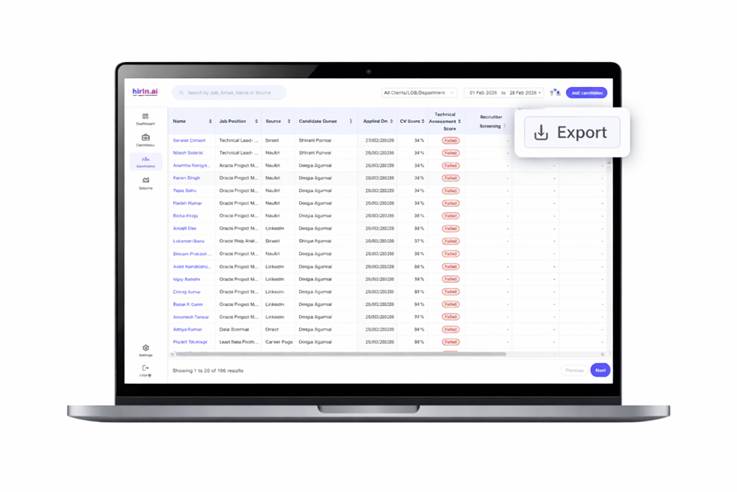
Export Data
Click on Export (top-right corner).
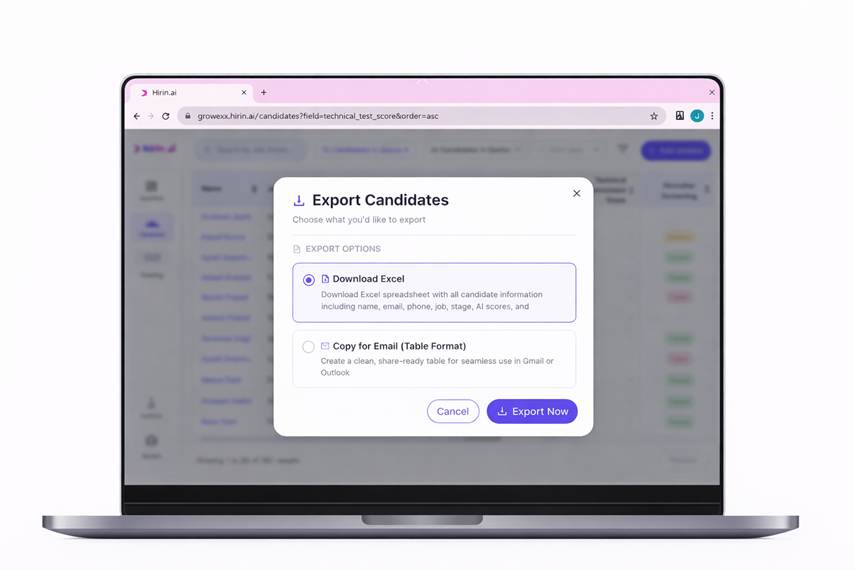
Available options:
Download Excel
- Export complete candidate data
Copy for Email
- Create a shareable email table format
- Includes:
- Screening Report links
- Interview Assessment Report links
- If reports are unavailable, value displays as NA
Click Export Now to generate the export.
Copy for Email (Optional)
- Customize required columns
- Click Copy Email Format
- Paste directly into email communication
Download Excel from the Copy for Email Modal
The Copy for Email modal now supports a direct Excel download of the candidates you have selected.
- Click Download Excel in the Copy for Email modal to download the file.
- The Excel includes only the selected candidates.
- It contains only the columns you chose in the customization screen.
- The exported data matches the table preview exactly.
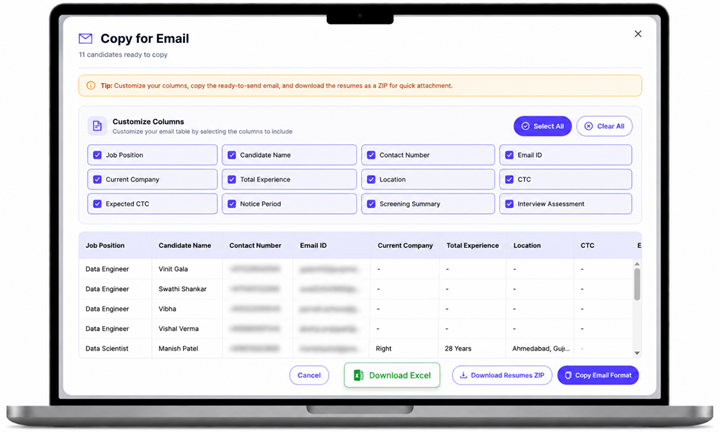
Figure 4: Downloading an Excel file from the Copy for Email modal
Download Resumes
- Click on Download Resumes ZIP
→ All candidate resumes will be downloaded in one file
Value for you
With this feature, you can:
- Export and share candidate data instantly
- Access screening and interview reports directly from exports
- Reduce manual work
- Keep all candidate information organized
→ Everything you need ready in just a few clicks
Was this article helpful?
That’s Great!
Thank you for your feedback
Sorry! We couldn't be helpful
Thank you for your feedback
Feedback sent
We appreciate your effort and will try to fix the article