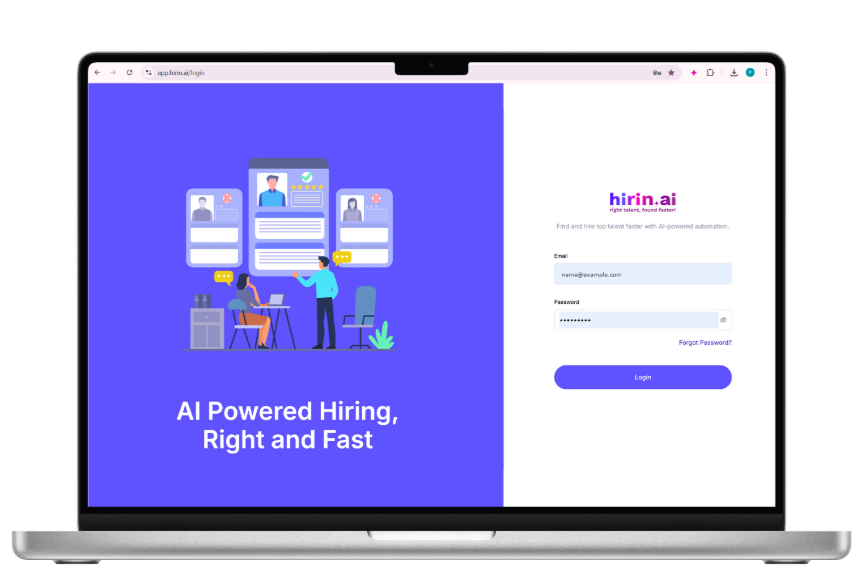
Figure 1: Hirin.ai login screen
Step 1: Define the Job Description
- Navigate to the Jobs section from the left sidebar.
- Click Create Job in the top-right corner.
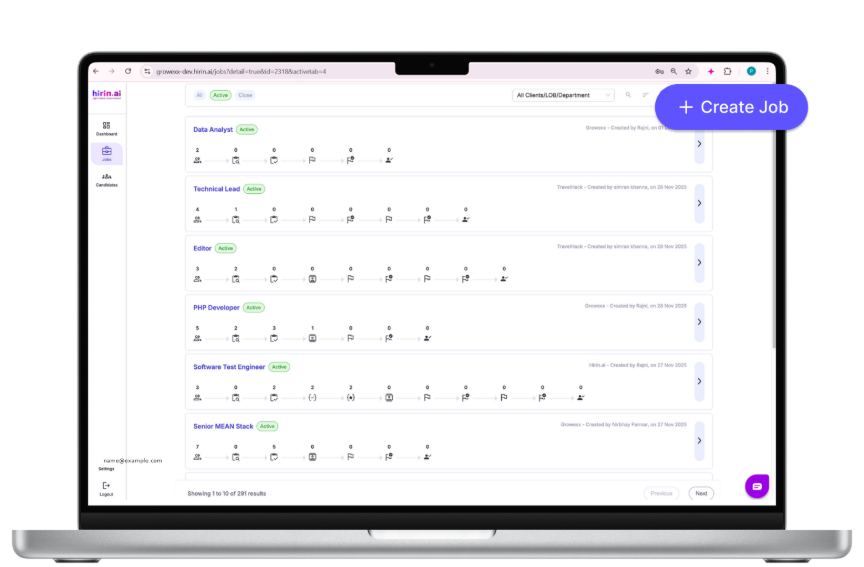
Figure 2: Jobs page with the Create Job button (top-right)
- Enter the Job Title (mandatory to proceed).
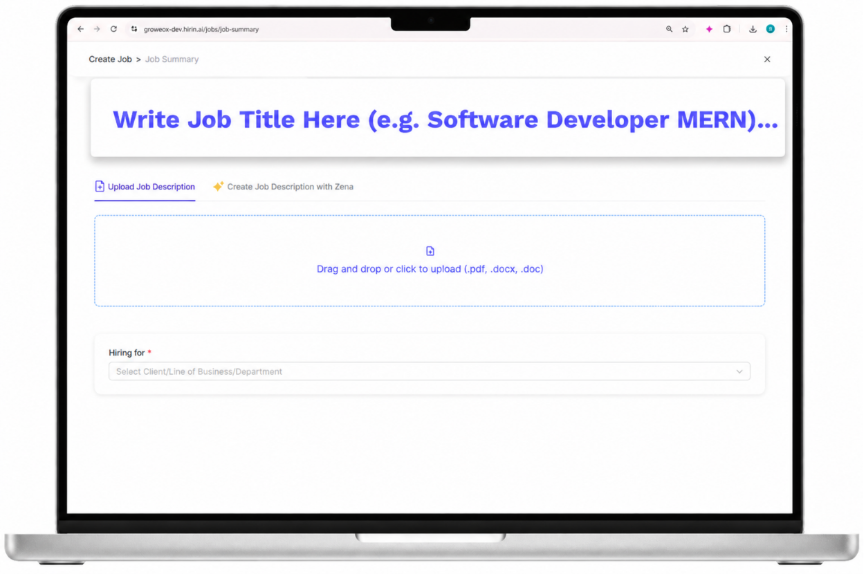
Figure 3: Entering the Job Title
Add the Job Description (two options)
Option 1: Upload a Job Description
- Upload your JD (PDF, DOC, DOCX) using drag-and-drop or the file picker.
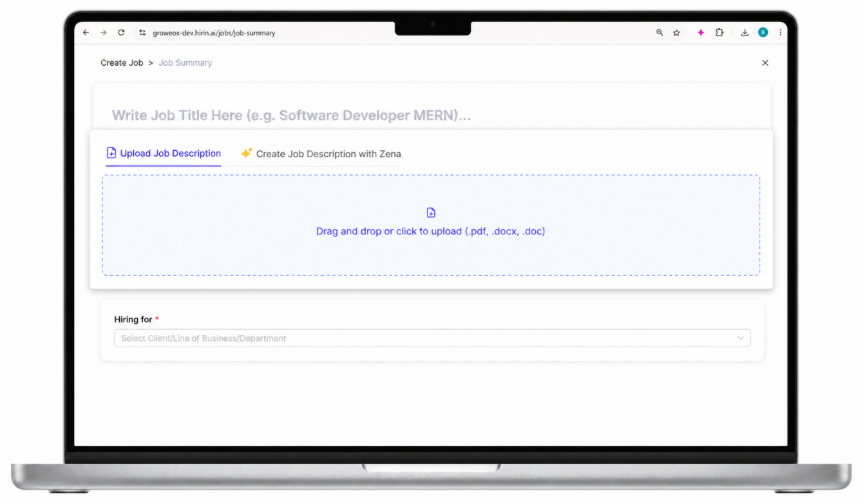
Figure 4: Uploading a job description file
How it works: Zena, our AI agent, automatically analyses your JD, extracts the key responsibilities, and identifies must-have and good-to-have skills. You can review and refine these details before proceeding, which improves screening accuracy.
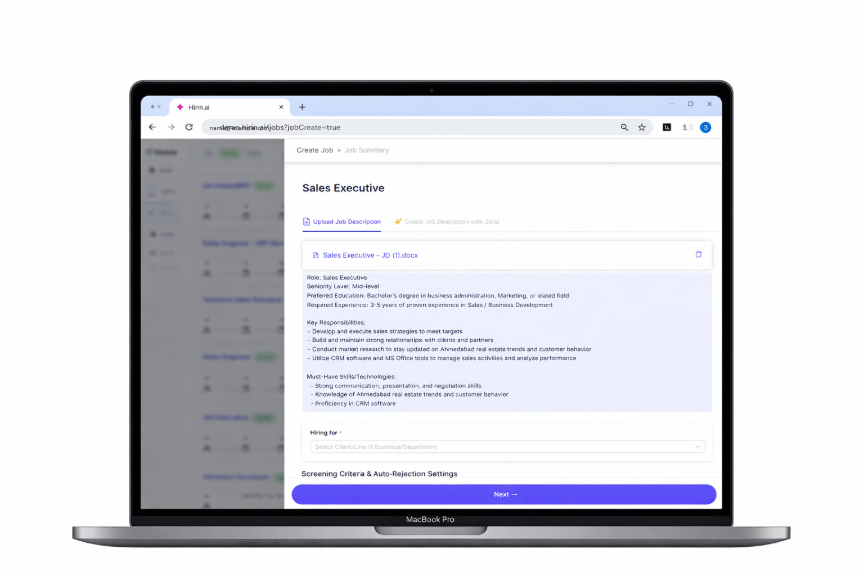
Figure 5: Zena extracting responsibilities and skills from the JD
Option 2: Create a Job Description with Zena
- Select Create Job Description with Zena.
- Enter the Job Title and a brief role description, then click Create.
- Zena generates a complete job description including roles, responsibilities, and required skills.
- Edit and customise it before moving forward.
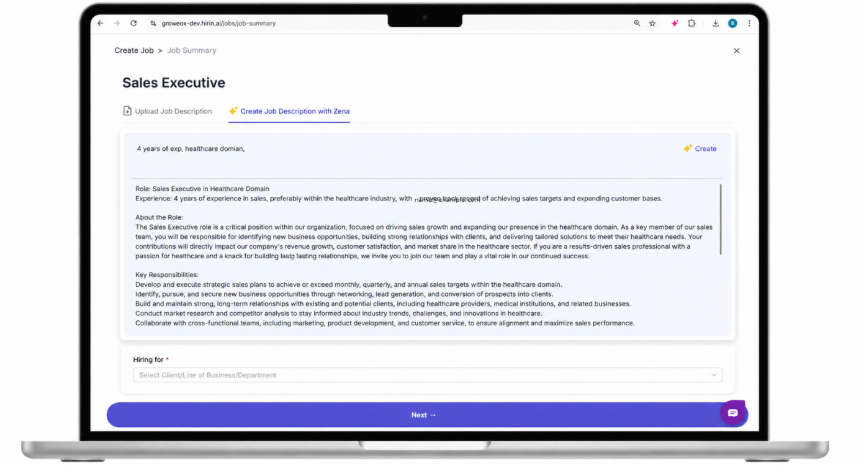
Figure 6: Generating a job description with Zena
Select Line of Business / Department / Client
- Choose the relevant Client, LOB, or Department — this is reflected in candidate communication (including branding) — then proceed to the next step.
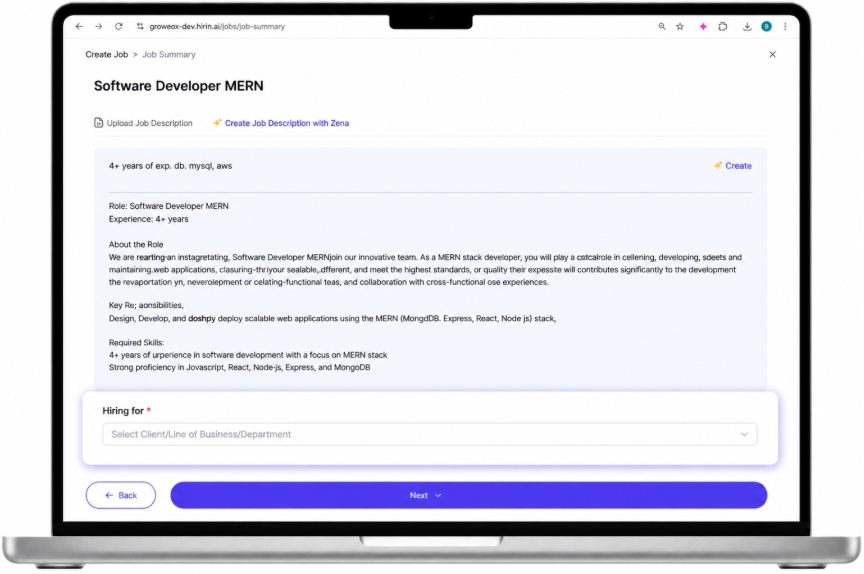
Figure 7: Selecting Client / LOB / Department
Set the Work Location
While creating a job you now set the work location in the Location section of the Job Summary tab, so candidates and reports show where the role is based.
- Under WORKPLACE MODE, choose On-site, Hybrid or Remote.
- On-site / Hybrid – a city is required:
- Open the searchable LOCATION dropdown (Search and select a city…).
- Select the required city for the role.
- Remote – no city selection is required:
- The section shows an Open to all locations option.
- Selecting Remote clears any city that was previously selected.
- Both Workplace Mode and Location are mandatory for On-site and Hybrid roles before you can continue.
- After the job is created you can view and update the work location at any time from the Job Summary tab.
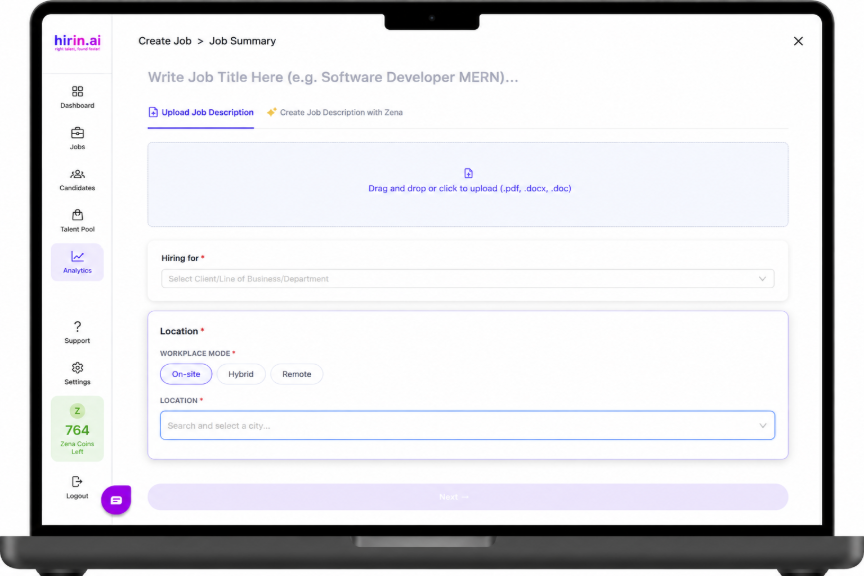
Figure 8: Location section with Workplace Mode and searchable city selection
Step 2: Build the Workflow
Create and configure your hiring workflow. You select from ready-made workflow templates and can tailor the messaging within them. Below are the standard workflow templates:
- CV Screened + Recruiter Screening + AI Video Interview + HM + HM2
- CV Screened + Recruiter Screening + AI Video Interview + HM
- CV Screened + Recruiter Screening + HM + HM2
- CV Screened + Recruiter Screening + HM
- CV Screened + Recruiter Screening + AI Video Interview + HM + HM2 + Document Submission + Offer Release
- CV Screened + Recruiter Screening + AI Video Interview + HM+ Document Submission + Offer Release
- CV Screened + Recruiter Screening + HM + HM2 + Document Submission + Offer Release
- CV Screened + Recruiter Screening + HM + Document Submission + Offer Release
A workflow can include CV screening, AI recruiter screening, AI interviews, technical assessments, interview scheduling, and offer release.
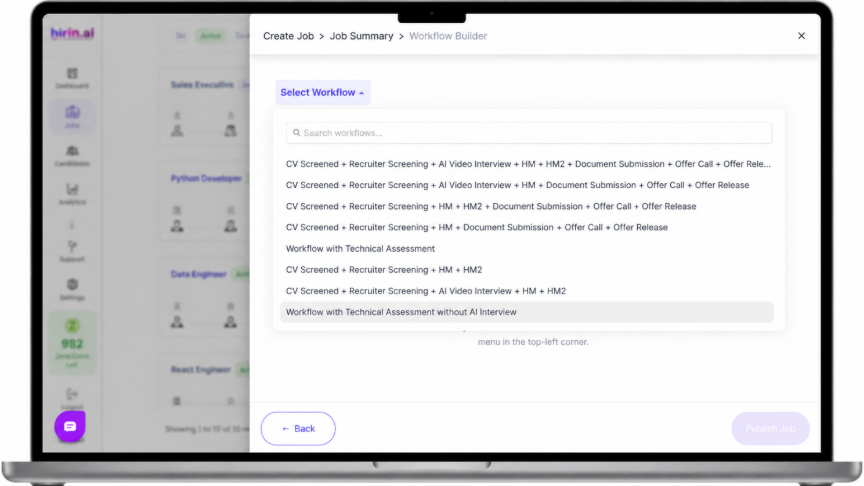
Figure 9: Workflow builder with selectable stages
CV Screening with Zena Intelligence
This optional stage is available within the workflow. CVs are automatically screened, the top candidates (based on a percentage you choose) are shortlisted, and only relevant candidates move forward. Example: if 50 CVs are screened and the top 10% is selected, 5 candidates move ahead.
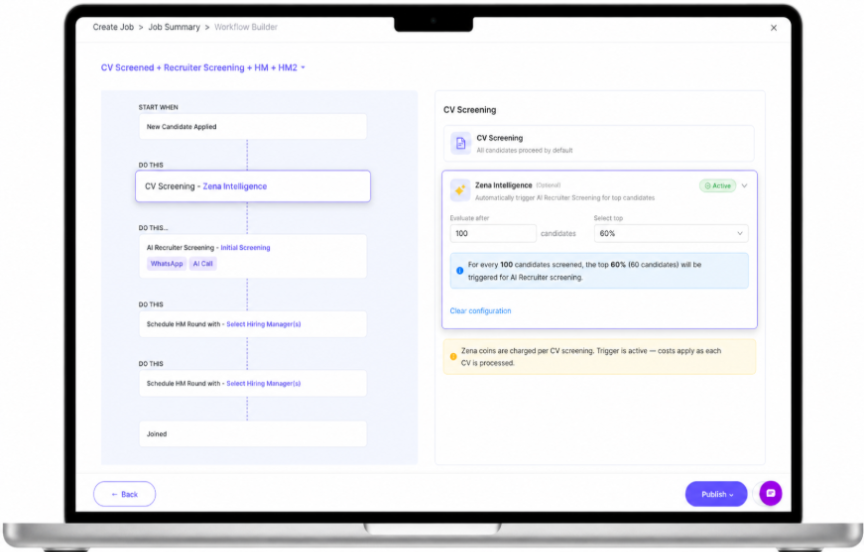
Figure 10: CV Screening with Zena Intelligence settings
AI Recruiter Screening
Choose your screening channel(s): WhatsApp Screening, AI Call Screening, or both. If you choose both, WhatsApp is triggered first and, if there is no response, an AI call is initiated. AI call attempts run within a configurable window (commonly 9:00 AM – 9:00 PM). All interactions — call recordings, transcripts, and WhatsApp logs — are captured.
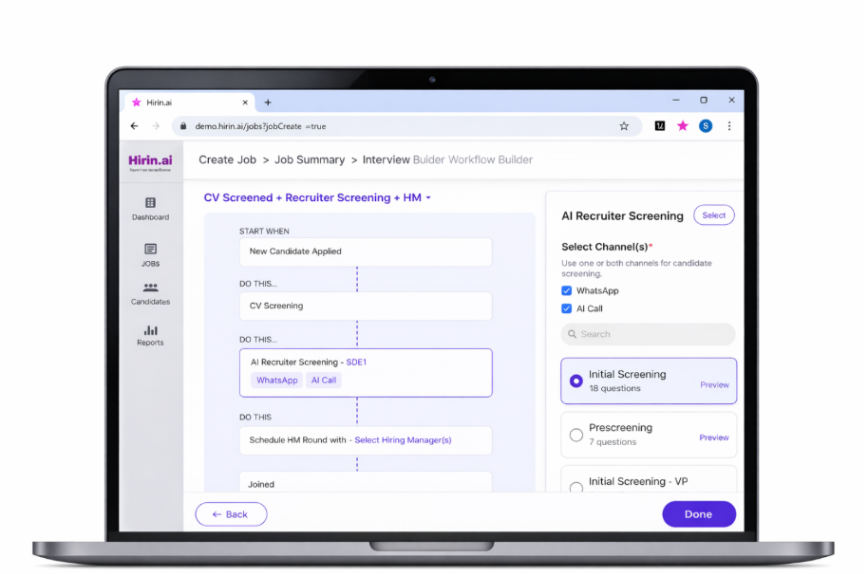
Figure 11: AI Recruiter Screening channel options
Screening Criteria & Auto-Rejection
Define screening criteria and, optionally, set auto-rejection rules so candidates who do not meet the criteria are filtered out automatically.
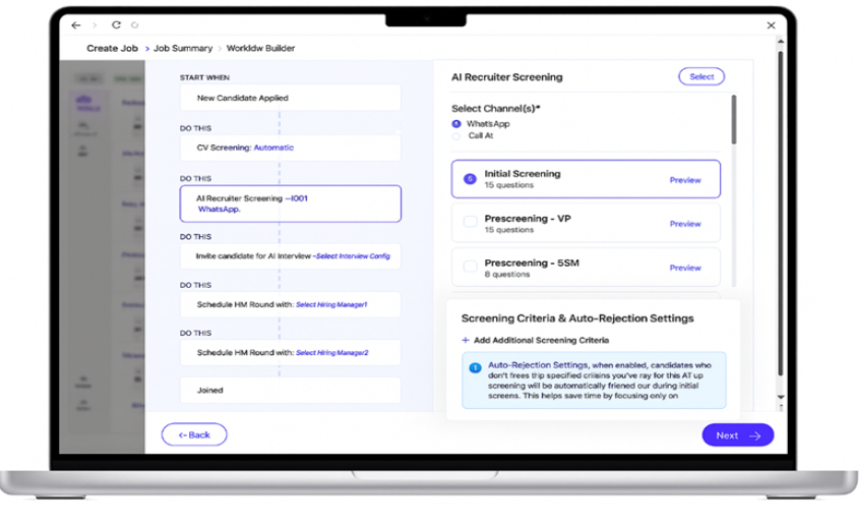
Figure 12: Screening criteria and auto-rejection settings
Screening Criteria and Auto-Rejection settings can be edited, added, or removed even after the job is live — open the job's Workflow and use the Edit icon on Screening Criteria.
When the change affects candidates already in screening, an Impact Preview is shown before saving (see the Workflow Builder guide).
Candidate Progression (Manual or Auto)
Within the AI Recruiter Screening panel you also choose what happens to a candidate once Zena has completed the screening and returned a Pass or Fail recommendation.
- Manual (default) – you review Zena’s recommendation and decide whether to move each candidate forward.
- Auto – Zena moves candidates automatically based on its recommendation:
Pass → the candidate moves to the next stage in the workflow.
Fail → the candidate is rejected automatically.
- When Auto is selected, choose whether an auto-rejection email should be sent to candidates who fail screening.
- For jobs that are already published, you can view and update Candidate Progression from the Workflow tab of the job.
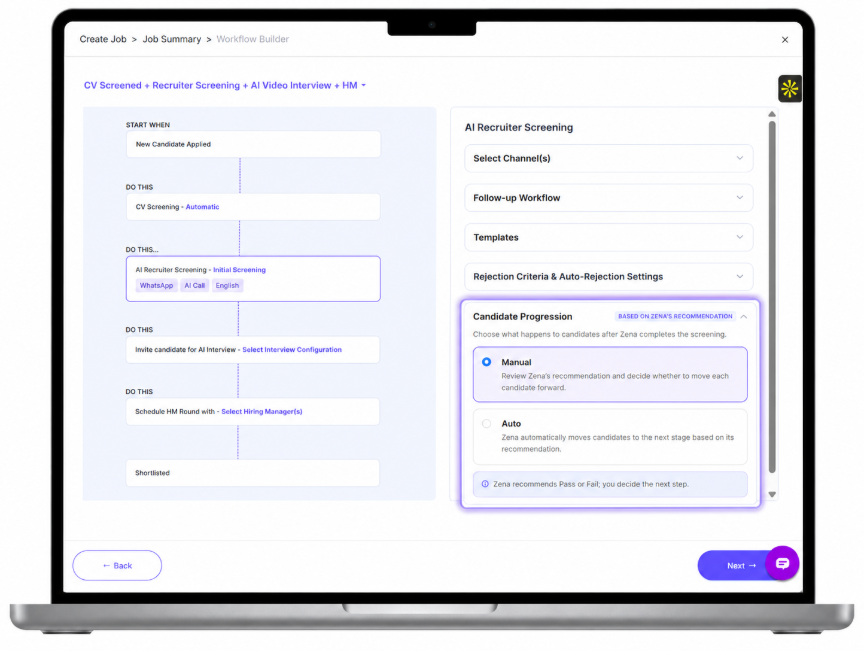
Figure 13: Candidate Progression – Manual and Auto options in the AI Recruiter Screening panel
AI Video Interview Configuration
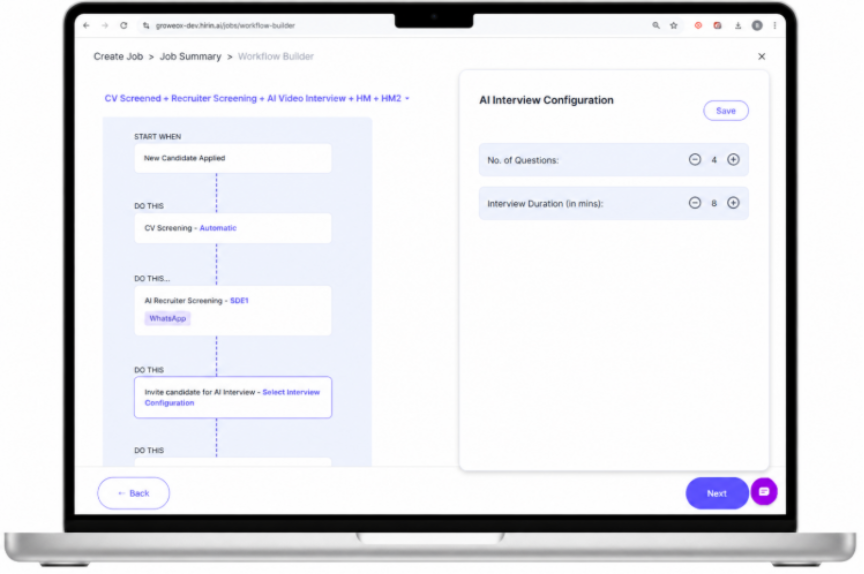
Figure 14: AI Video Interview configuration
- Set the Number of Questions and Interview Duration.
- Select the interview configuration and click Save.
Hiring Managers & Feedback
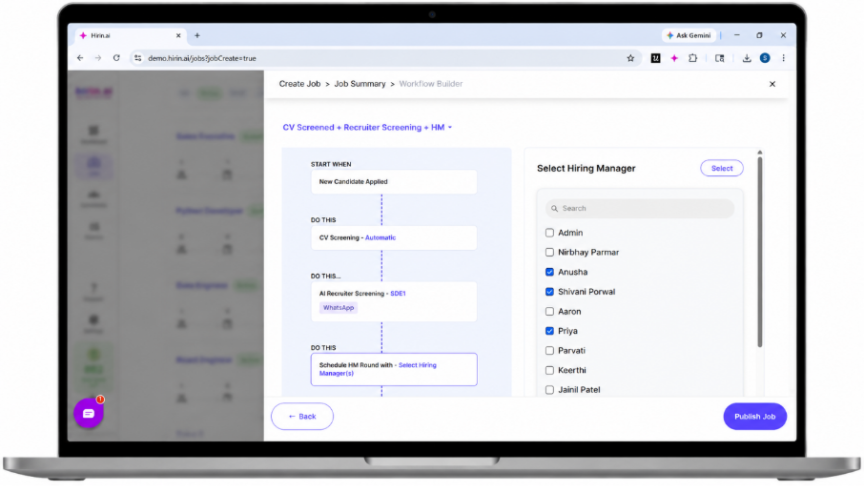
Figure 15: Assigning Hiring Managers and adding a feedback form
You can assign multiple Hiring Managers to the same stage. All assigned HMs can review candidates and submit feedback. The system uses a "First-Action Wins" model — the first HM to act determines the outcome for that stage — and supports automated WhatsApp interview scheduling for the HM who acts. Once the HM is selected, you can add a feedback form from the section below the HM list.
Step 3: Set Up AI Interview Questions
- Review or modify the key skills extracted from the JD; add or remove skills as needed.
- Select a difficulty level: Beginner, Intermediate, or Expert.
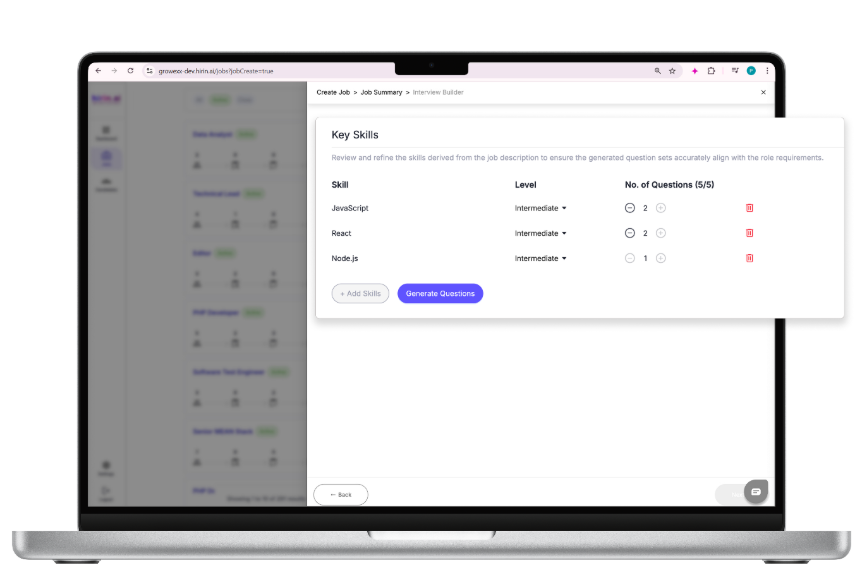
Figure 16: Reviewing skills and difficulty levels
- Click Generate Questions — questions are created automatically based on the JD.
- Edit questions, add custom questions, and set the time per question (1–5 minutes).
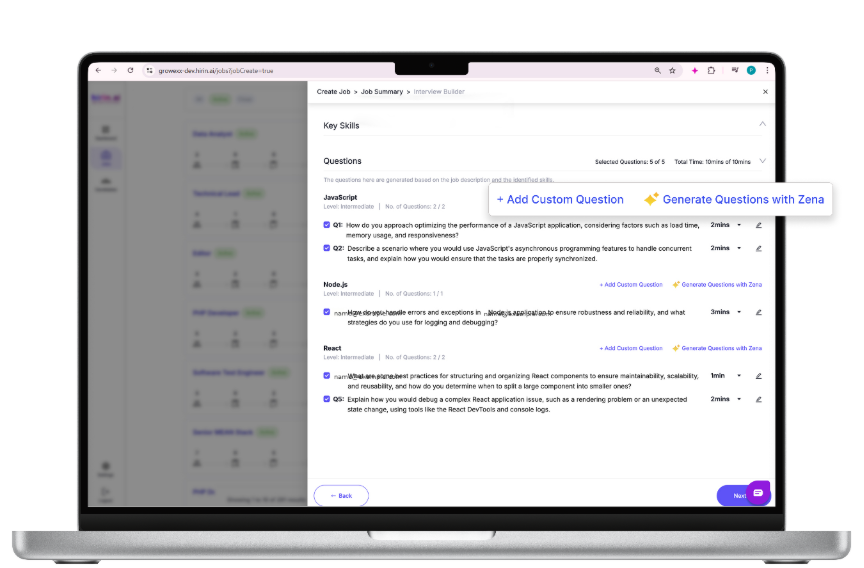
Figure 17: AI-generated interview questions
Final Step: Save or Publish
- Save as Draft keeps the job unpublished while you finish setup (it appears under the Draft tab on the Jobs page).
- Publish Job makes the job live. Once published, it appears on the Jobs page, candidates enter the pipeline, and automated workflows begin.
Note: Save as Draft and Publish are different actions. Use Draft until everything is ready, then Publish.
Was this article helpful?
That’s Great!
Thank you for your feedback
Sorry! We couldn't be helpful
Thank you for your feedback
Feedback sent
We appreciate your effort and will try to fix the article