
Candidate Search:
From the Candidates page, you can search using:
- Job
- Candidate Name
- Source
→ Makes it easy to find a specific candidate instantly
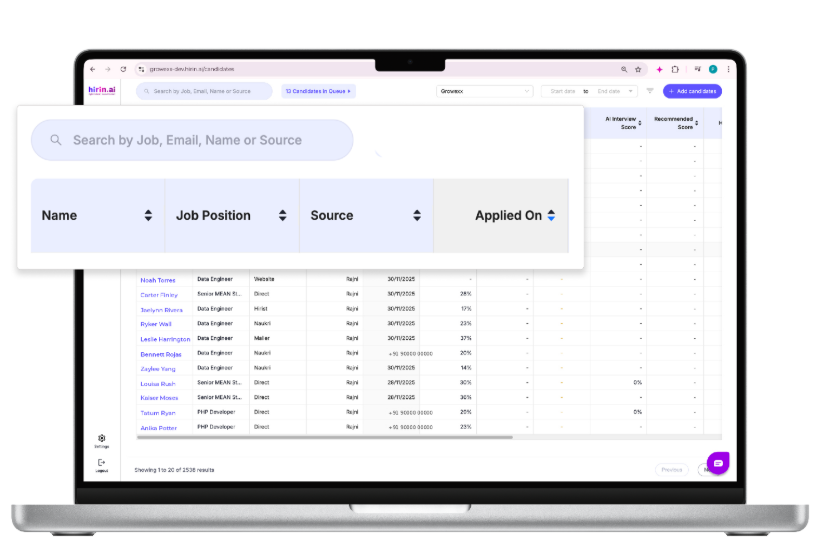
Figure 4: Candidate Search:
Candidate date filter:
Filter candidates based on time period:
Options include:
- Today / Yesterday
- This Week / Last Week
- This Month / Last Month
- Custom Date Range
→ Helps you track candidate activity within a selected timeframe
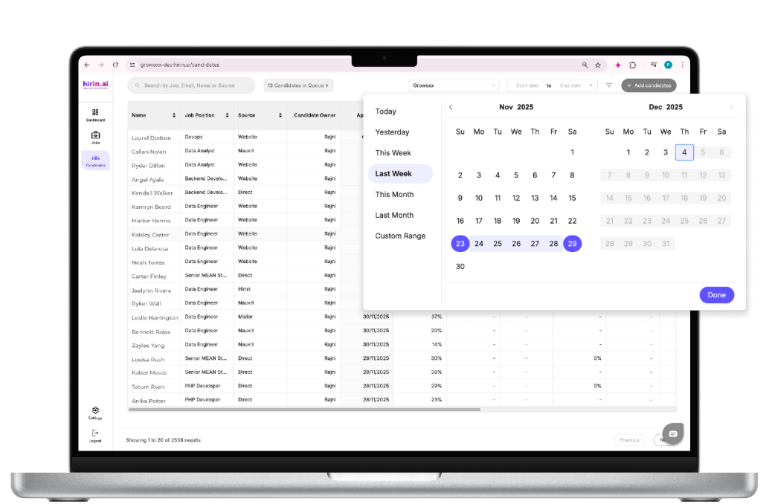
Figure 6: Candidate date filter:
Candidate Owner:
- Filter candidates based on assigned recruiter
→ Useful for tracking recruiter-wise performance
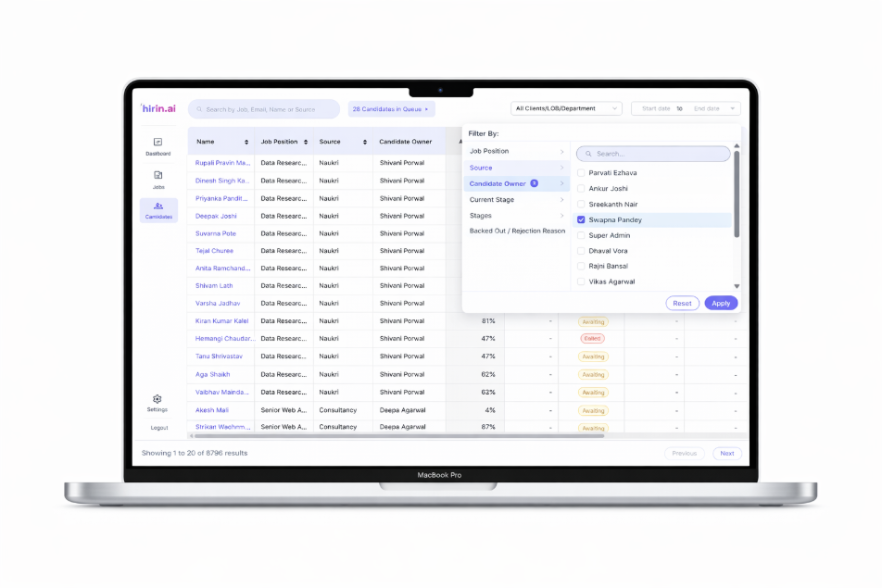
Figure 9: Candidate Owner:
Current stage filter:
- Filter candidates based on their exact stage in the hiring process
→ Helps you track candidate progress easily
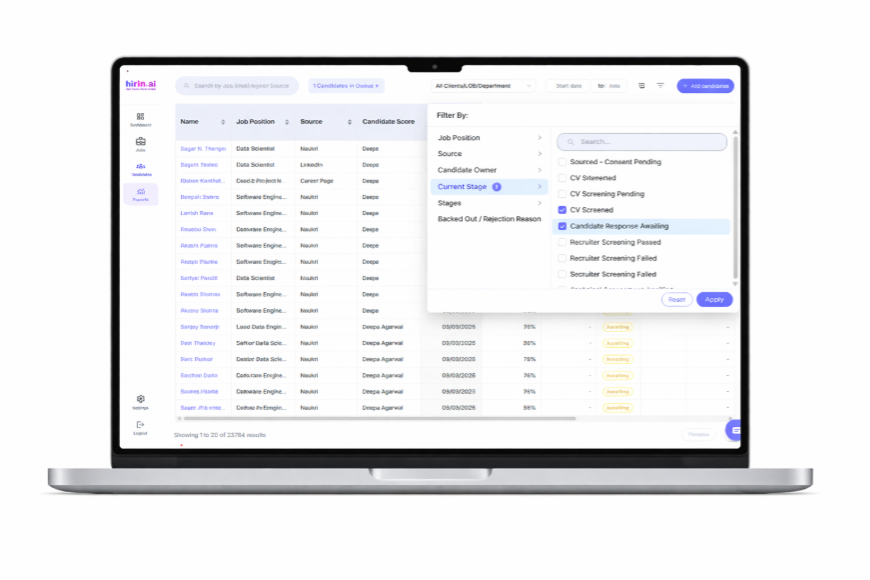
Figure 10: Current stage filter:
Stages filter:
- Filter candidates based on predefined workflow stages
→ Gives a clear view of candidates at each hiring step
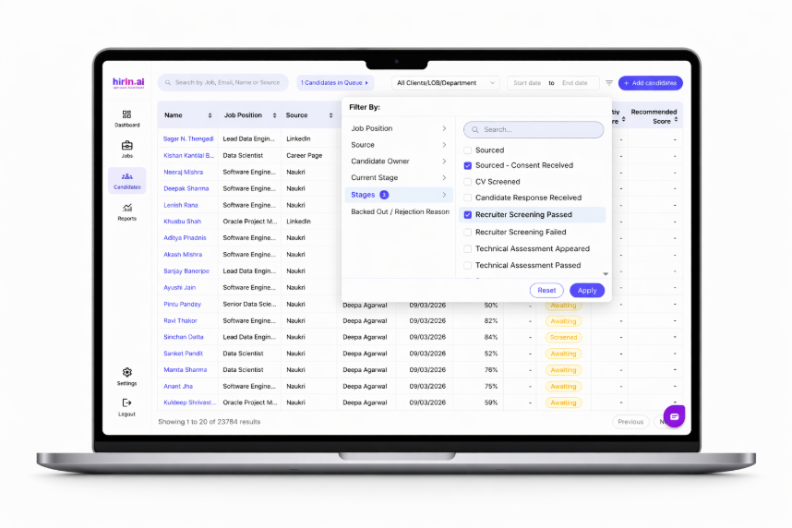
Figure 11: Stages filter:
Backed Out/Rejection Reason:
- Filter candidates based on rejection or drop-off reasons
→ Helps you identify patterns and improve hiring decisions
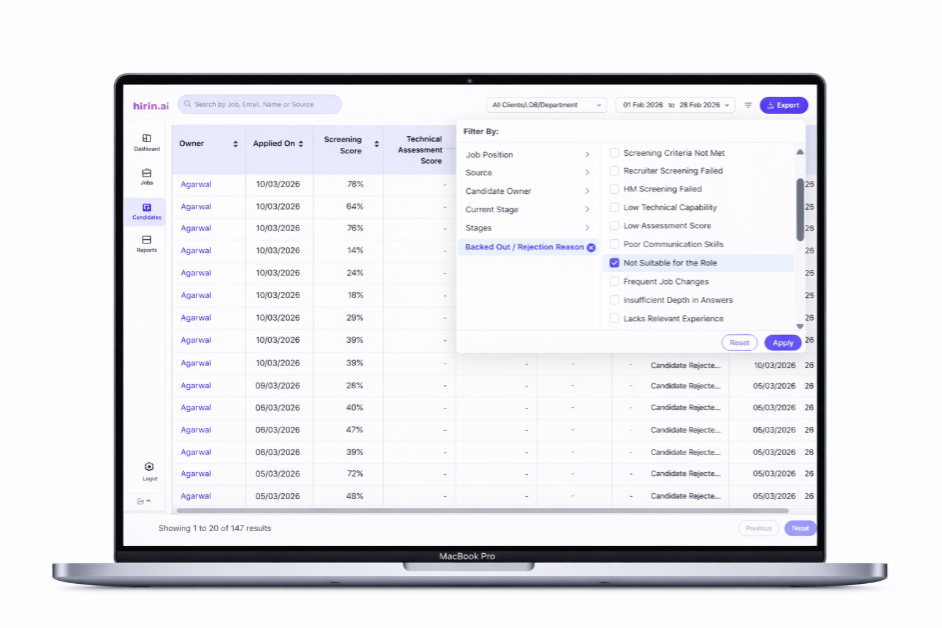
Figure 12: Backed Out/Rejection Reason:
Records Per Page Selection
You can now customize how many candidates are displayed per page, making it easier to review and manage large candidate lists with fewer page changes.
Available in:
- Job Detail → Candidate Listing
- Global Candidate Listing
Records per page options: 20 (default), 40, 60, 80, and 100.
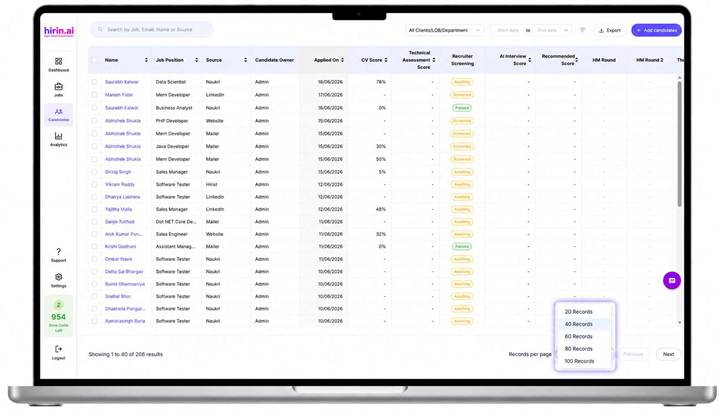
Figure 13: Selecting the number of candidate records displayed per page
Dynamic Workflow Stages
The Stage filter and the Stage column in the Candidate List are driven by each job’s own workflow. Instead of showing one fixed list of stages for every job, Hirin loads the stages configured for the job you are viewing.
Key Highlights
- Stages are loaded directly from the job workflow rather than from a fixed stage list.
- Only stages that are active in that workflow are displayed.
- Stages appear in the same order as they are configured in the workflow.
- Switching between jobs automatically refreshes both the Stage filter and the Stage column to match the newly selected job.
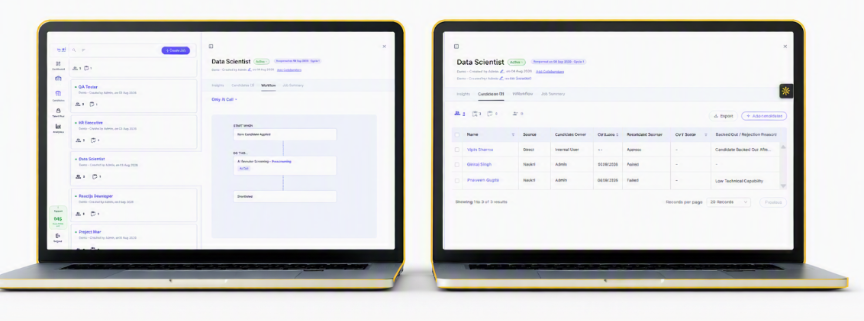
Figure 14: The Stage filter and Stage column reflecting the job’s configured workflow
Good to Know
- If a stage is missing from the filter, check the job’s Workflow tab — the stage is either inactive or not part of that workflow.
→ Accurate, job-specific stage visibility makes candidate management easier
Value for You
With Filters, you can:
- Find the right candidates faster
- Reduce manual effort
- Analyse hiring data more effectively
→ Quick filtering = faster decisions and better hiring
Was this article helpful?
That’s Great!
Thank you for your feedback
Sorry! We couldn't be helpful
Thank you for your feedback
Feedback sent
We appreciate your effort and will try to fix the article