Receive Upload Link
- You will receive an email requesting document submission.
- Click on Document Upload Portal.
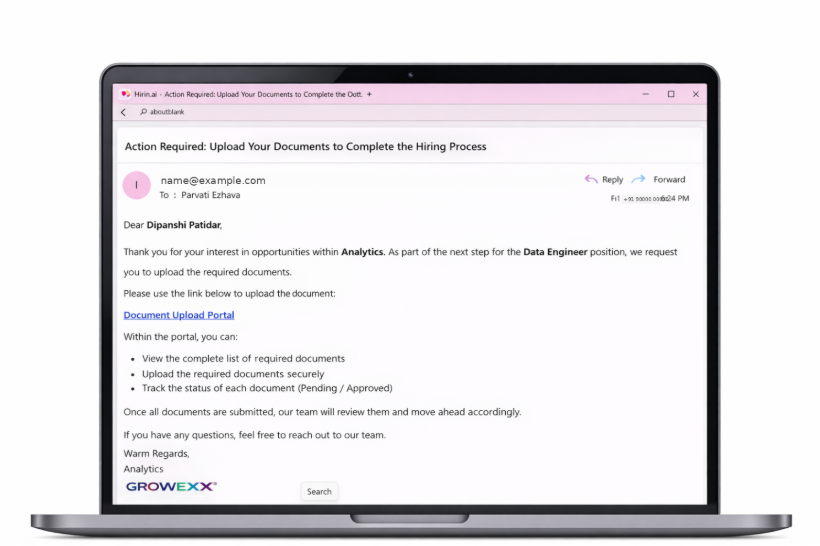
Figure 1: Receive Upload Link
View Document Checklist
- The page displays all required documents.
- Each document shows its status (Pending / Required).
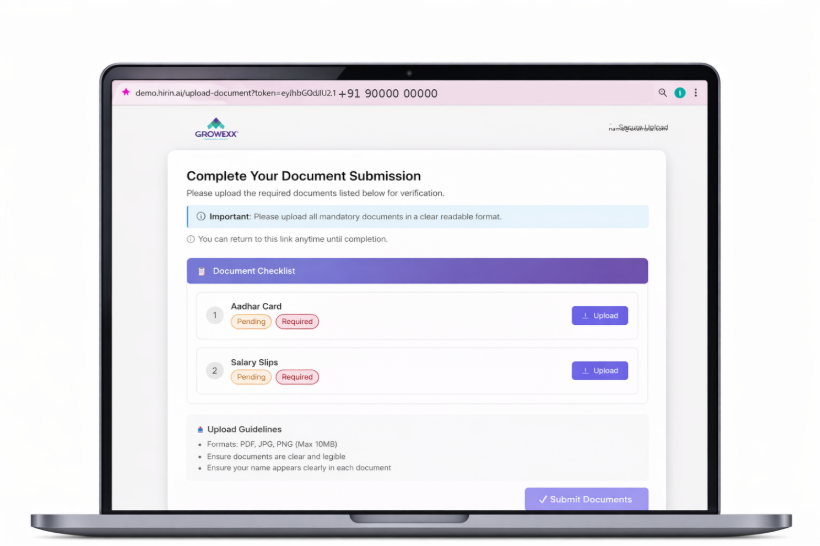
Figure 2: View Document Checklist
Upload & Submit Documents
- Click Upload next to each document.
- Select and upload your file.
- Supported formats: PDF, JPG, PNG.
- Once all documents are uploaded, click Submit Documents.
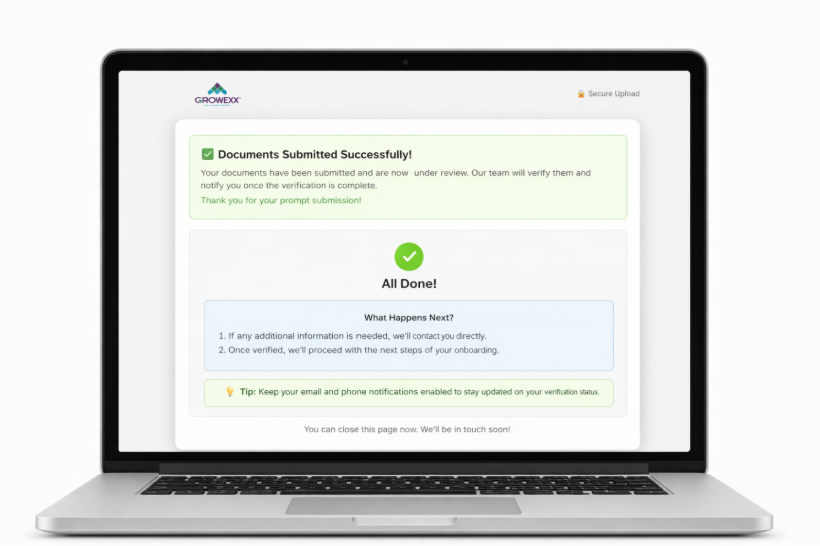
Figure 3: Upload & Submit Documents
Confirmation
- You will see “Documents Submitted Successfully”.
- Your documents are now under review.
- The team will contact you if additional information is required.
Was this article helpful?
That’s Great!
Thank you for your feedback
Sorry! We couldn't be helpful
Thank you for your feedback
Feedback sent
We appreciate your effort and will try to fix the article