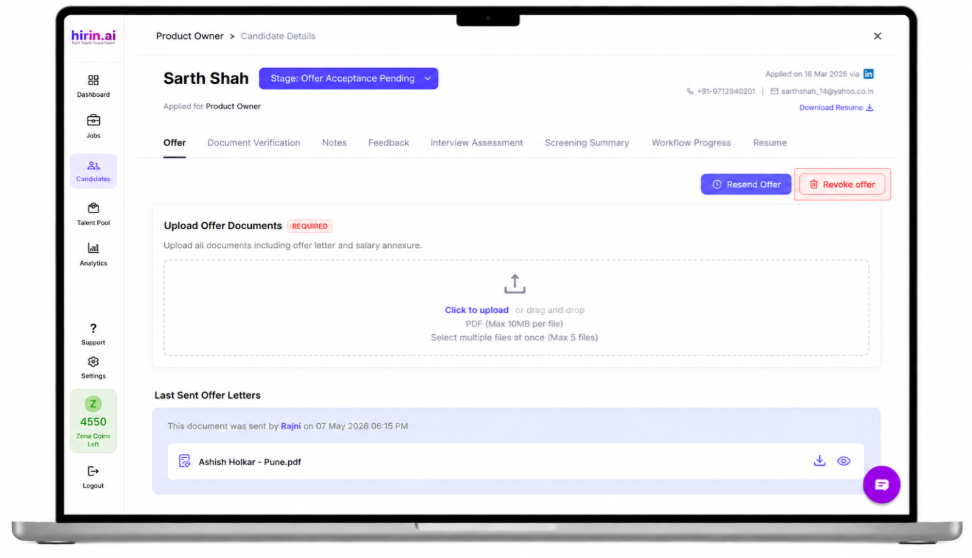
How It Works
- Navigate to the candidate’s Offer tab
- Click on Revoke Offer
- Enter the mandatory revocation reason
- Submit the action
The offer status is updated automatically in the system.
Value for You
With this feature, recruiters can:
- Maintain better control over offer management
- Track complete offer lifecycle history
- Handle offer changes with proper audit visibility
Improved flexibility and transparency in offer management
Was this article helpful?
That’s Great!
Thank you for your feedback
Sorry! We couldn't be helpful
Thank you for your feedback
Feedback sent
We appreciate your effort and will try to fix the article