How Bulk Candidate Move Works
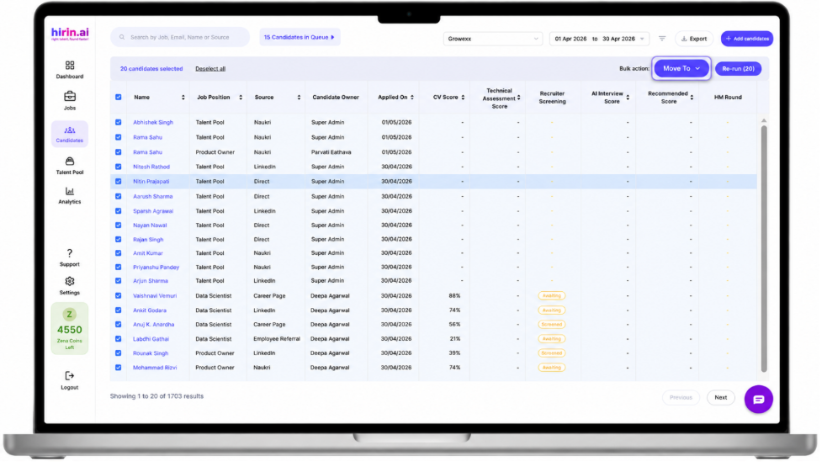
- Select one or more candidates from the list
- The Bulk Action Bar will appear automatically
- Click on the “Move To” option
- Select the required:
- Job
- Stage
Selected candidates will be moved together in a single action.
Where Bulk Move is Available
Bulk Candidate Move can be performed from:
- Job Position page
- Candidate Listing page
Value for You
With this feature, recruiters can:
- Move multiple candidates quickly
- Reduce repetitive manual actions
- Manage candidate pipelines more efficiently
- Improve bulk hiring operations
Faster candidate movement with simplified workflow management
Was this article helpful?
That’s Great!
Thank you for your feedback
Sorry! We couldn't be helpful
Thank you for your feedback
Feedback sent
We appreciate your effort and will try to fix the article