Jobs Filter:
Go to the Jobs section from the left panel
Here you can:
- View all active and closed jobs
- Search jobs using Job Title
- Sort jobs (Latest or Oldest)
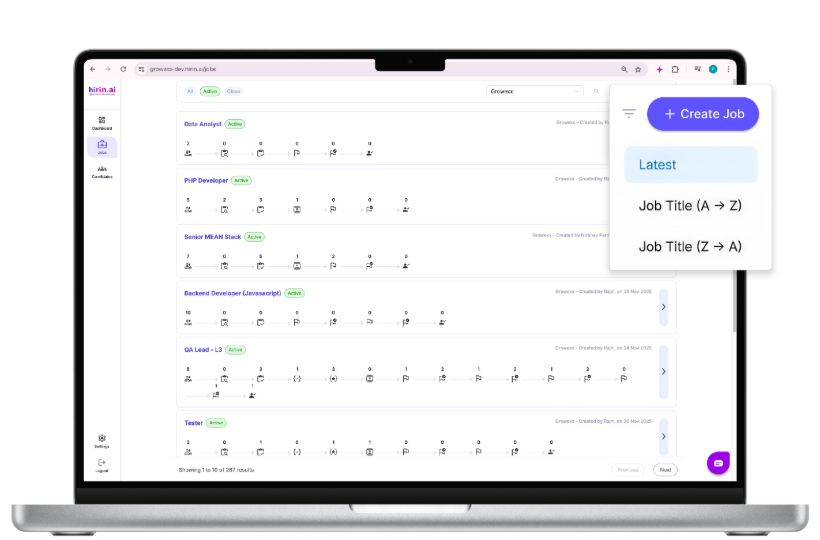
Figure 3: Jobs Filter:
Line of Business Filter:
Available on the Candidates page (top-right)
You can filter by:
- Line of Business
- Helps you view candidates for a specific business or client
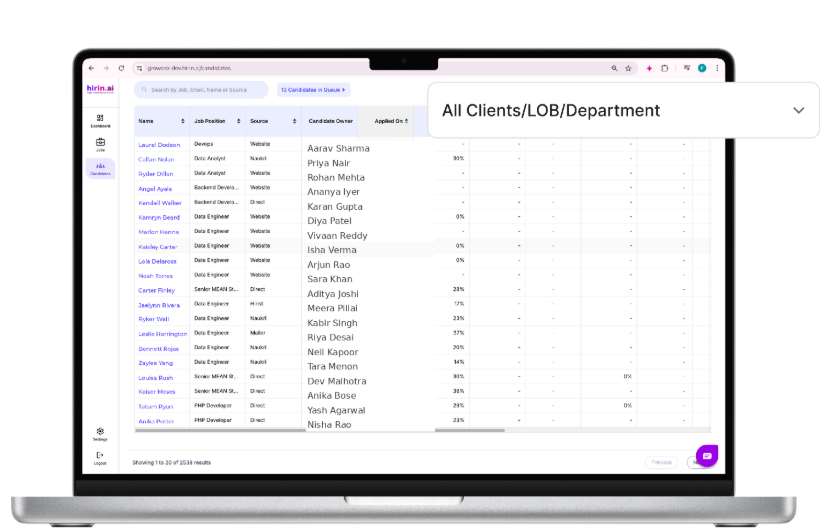
Figure 5: Line of Business Filter:
Job Position Filter:
Select a specific job position
Shows candidates applied for that job
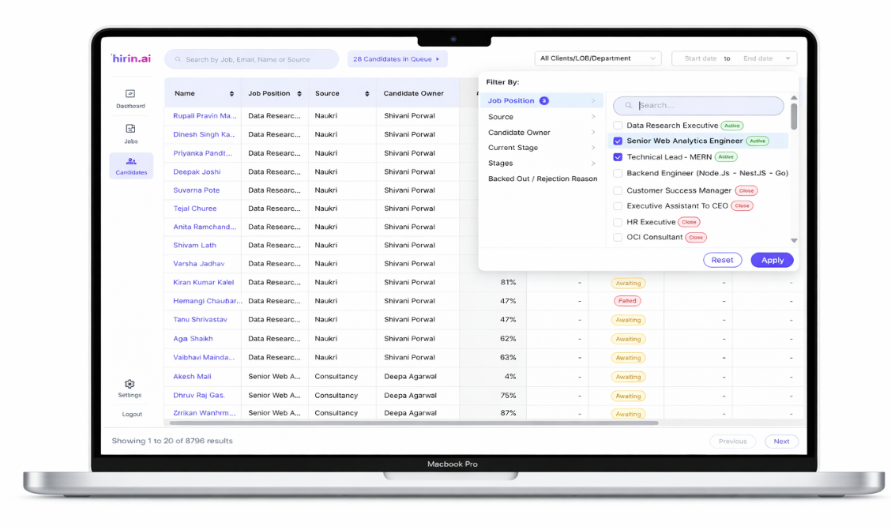
Figure 7: Job position filter:
Source Filter:
Filter candidates based on where they applied from:
Examples:
- Naukri
- Campus
- Mailer
→ Helps you analyse which source is performing better
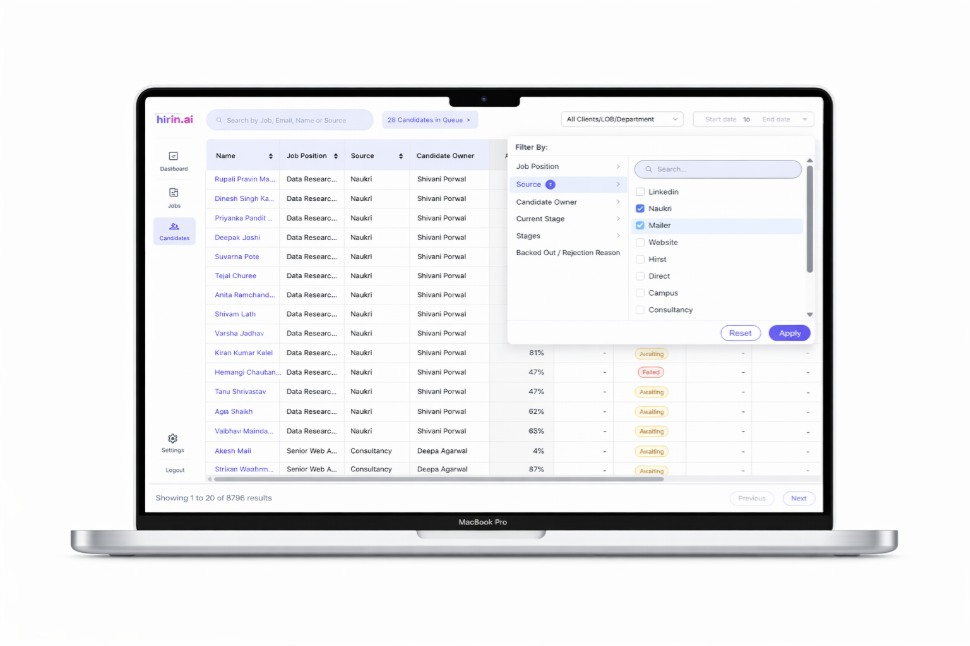
Figure 8: Source filter:
Value For You:
With Filters, you can:
- Find the right candidates faster
- Reduce manual effort
- Analyse hiring data more effectively
→ Quick filtering = faster decisions and better hiring
Was this article helpful?
That’s Great!
Thank you for your feedback
Sorry! We couldn't be helpful
Thank you for your feedback
Feedback sent
We appreciate your effort and will try to fix the article