Login to Hirin.ai
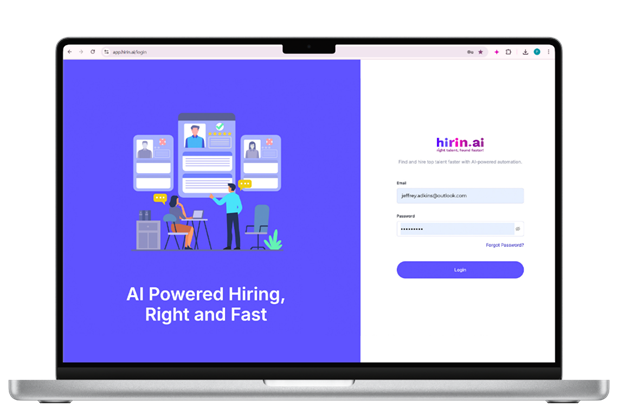
Login to your hirin.ai account with recruiter/admin credentials.URL will be https://companyname.hirin.ai/
Navigate to Candidates Module
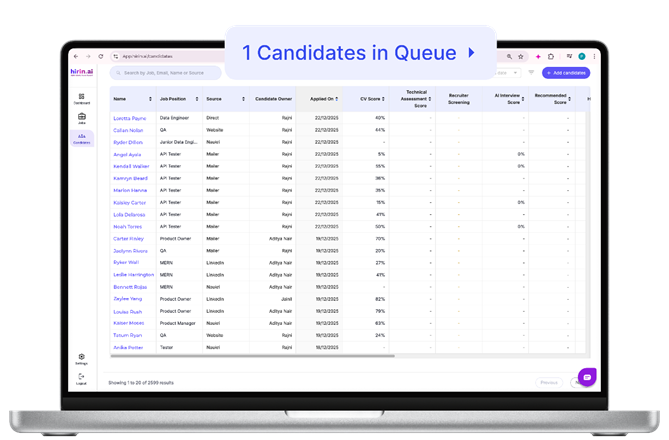
- Click on Candidates Module available on the left side panel.
Access Pipeline Candidates
- We have an option to view Pipeline candidates on top beside search bar.
Move & Add Candidates from Pipeline
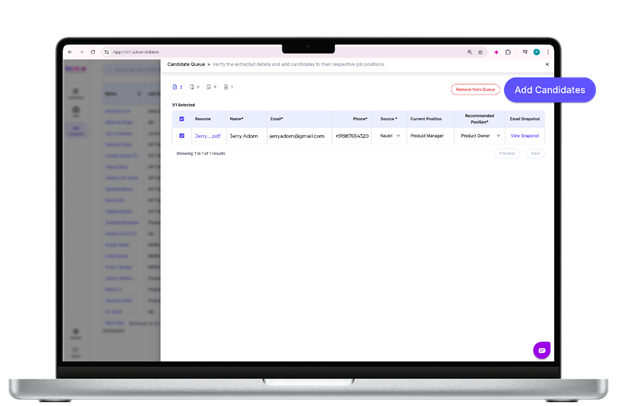
- Once you click on right side of candidates’ queue list, we have an option to move them.
- Make sure to check mandatory fields i.e., Name, Email, Phone, Source, Recommended Position once all fields filled then you will get an option highlighted with “Add candidates”.
- Candidates will be moved from pipeline to recommended job.
Filter by Position & Bulk Actions
- The Candidate Queue has a position filter and bulk actions, so you can work through a large queue in groups instead of one candidate at a time.
Filter by recommended position
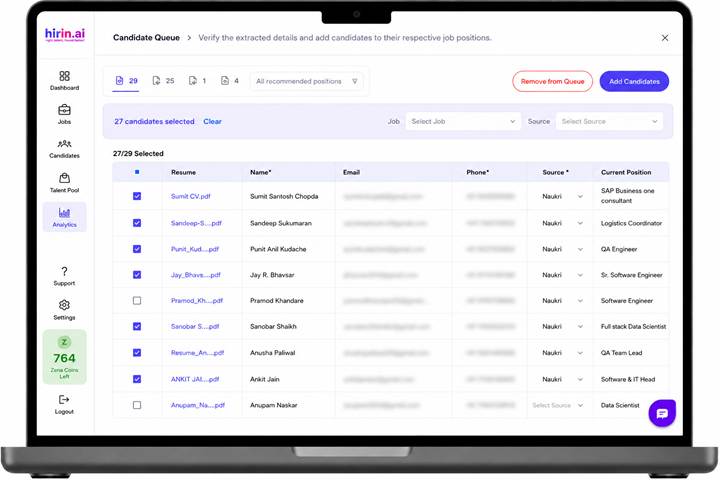
- Open the Candidate Queue and use the All-recommended positions dropdown at the top of the list.
- Select a position to see only the candidates recommended for it. The dropdown shows a live candidate count for each position.
- The position filter works together with the existing Ready / Missing / Failed / All status tabs, so you can combine, for example, one position with the Missing tab.
Select candidates and apply bulk actions
- Use the checkbox in the header row to select every candidate in the current view, or tick individual rows.
- The selection bar shows how many candidates are selected, with a Clear option to reset it.
- Use the Select Job dropdown to Add Candidates to a job in bulk.
- Use the Select Source dropdown to apply a source such as Naukri, LinkedIn or Career Page to all selected candidates at once.
- A confirmation is shown before a job or source is applied.
- Selected candidates can then be moved in bulk, which makes clearing the queue much faster.
Value for You
- Quickly move shortlisted candidates into active hiring workflows
- Ensure all required candidate data is complete before processing
- Maintain a structured and organized pipeline
- Seamlessly transition candidates from sourcing to evaluation
- Helps you take faster action on relevant candidates without losing track
Was this article helpful?
That’s Great!
Thank you for your feedback
Sorry! We couldn't be helpful
Thank you for your feedback
Feedback sent
We appreciate your effort and will try to fix the article