Filters (Top Section)
Use the filters at the top to customise what data the dashboard shows.
Client / LOB / Department Filter
Select a specific Client, Line of Business, or Department to view only relevant data. The dashboard updates automatically based on your selection.
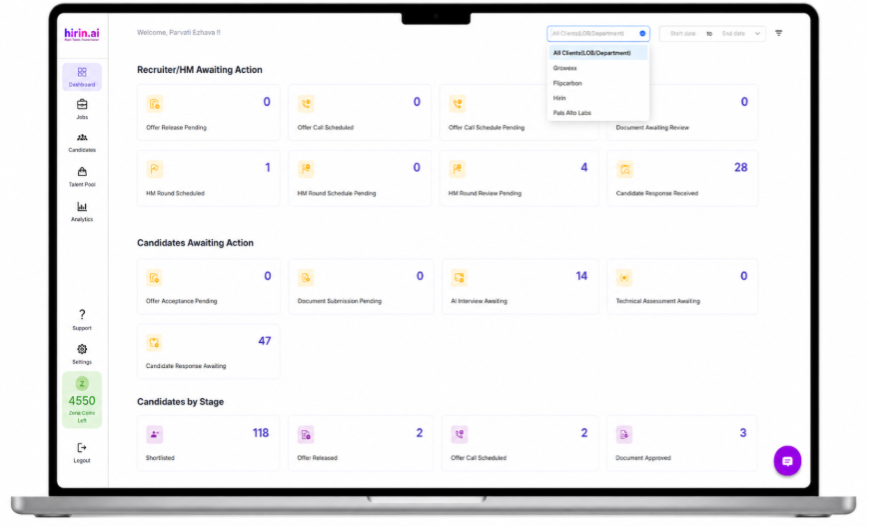
Figure 1: Client / LOB / Department filter at the top of the dashboard
Date Range Filter
Choose the time period for your data. Options include Today, This Week, This Month, and a Custom Date Range. This helps you track hiring activity for a specific duration.
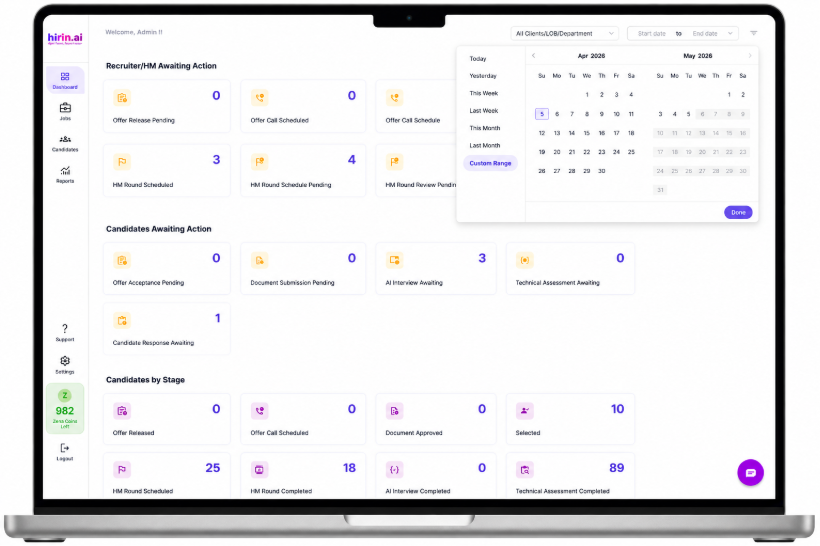
Figure 2: Date range filter (top-right)
Advanced Filters
Use advanced filters to refine data further by Jobs and Recruiters. Use Apply Filters to refresh the view and Reset Filters to clear them.
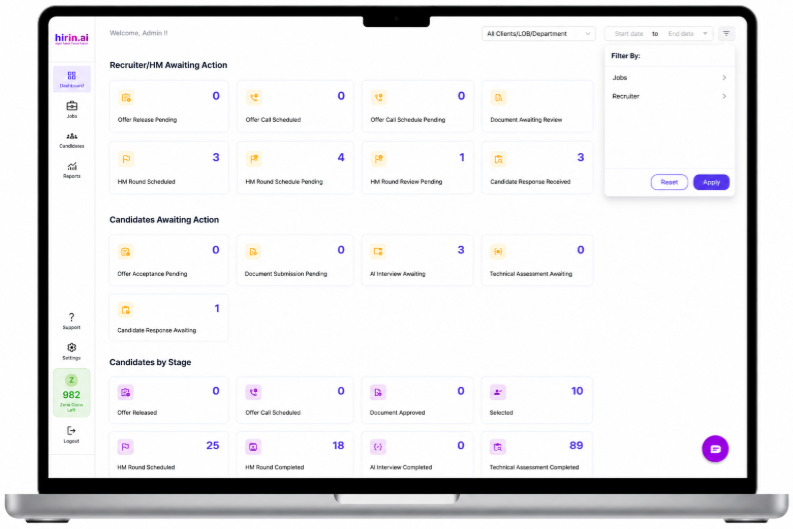
Figure 3: Advanced filters with Apply and Reset options
Was this article helpful?
That’s Great!
Thank you for your feedback
Sorry! We couldn't be helpful
Thank you for your feedback
Feedback sent
We appreciate your effort and will try to fix the article