Dashboard Summary Cards

Modified on Mon, 11 May at 3:22 PM


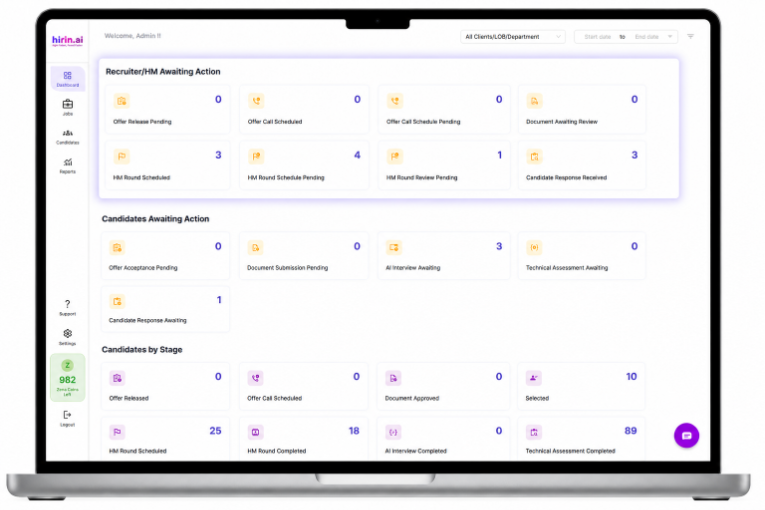
The Dashboard Summary Cards provide a quick overview of important hiring activities and pending actions.

Each card displays:

  • Total count
  • Action or status type

This helps recruiters and hiring managers quickly identify what needs attention.


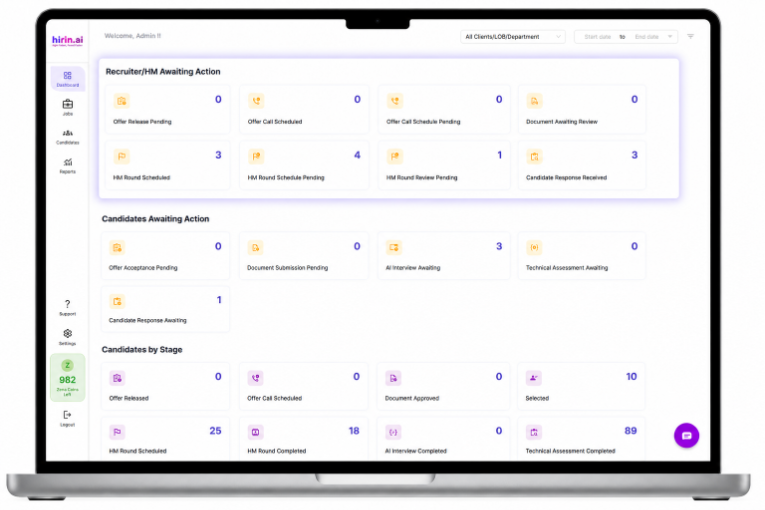
Recruiter Awaiting Action

This section shows tasks that require action from the recruiter or hiring manager.

Cards include:

  • Offer Release Pending – Offers yet to be released
  • Offer Call Scheduled – Offer discussion calls already scheduled
  • Offer Call Schedule Pending – Offer calls yet to be scheduled
  • Document Awaiting Review – Candidate documents pending verification
  • HM Round Scheduled – Hiring Manager interviews already scheduled
  • HM Round Schedule Pending – Hiring Manager interviews yet to be scheduled
  • HM Round Review Pending – Hiring Manager feedback pending
  • Candidate Response Received – Candidates have responded and require next action

Click on any card to view the detailed candidate list for that category


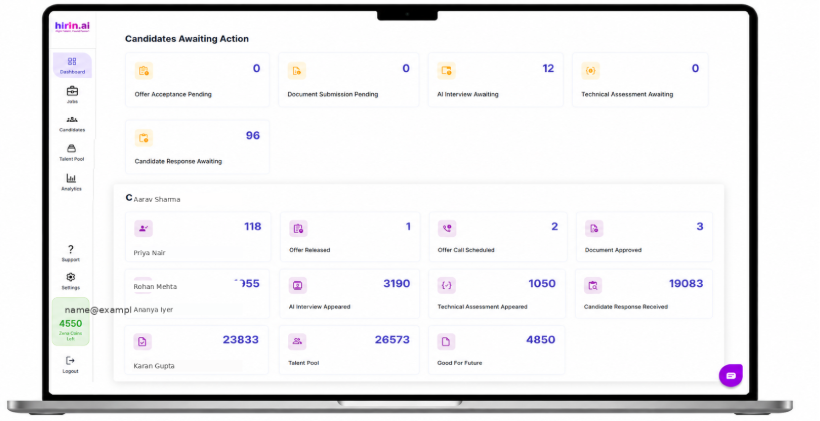
Candidates Awaiting Action

This section shows actions pending from the candidate’s side.

Cards include:

  • Offer Acceptance Pending – Candidates yet to accept the offer
  • Document Submission Pending – Candidates yet to submit documents
  • AI Interview Awaiting – Candidates yet to complete AI interviews
  • Technical Assessment Awaiting – Candidates yet to complete assessments

Helps recruiters track pending candidate activities and follow up quickly


Candidates by Stage

This section gives a stage-wise overview of candidates across the hiring pipeline.

Each card represents a stage and displays the number of candidates currently in that stage.


Helps recruiters monitor candidate movement and identify bottlenecks in the process

Stage Details:

  • Offer Released – Candidates who have received offer letters
  • Offer Call Scheduled – Candidates with scheduled offer discussions
  • Document Approved – Candidates whose documents are verified and approved
  • Selected – Candidates successfully selected
  • HM Round Scheduled – Candidates scheduled for Hiring Manager interviews
  • AI Interview Appeared – Candidates who completed AI interviews
  • Technical Assessment Appeared – Candidates who completed technical assessments
  • Candidate Response Received – Candidates who responded during the process
  • CV Screened – Candidates whose resumes have been reviewed
  • Talent Pool – Candidates saved for future opportunities
  • Good for Future – Candidates suitable for future openings but not selected currently

Click on any stage card to view candidate details and take further action


Note: Click on any stage card to view the list of candidates in that stage and take further action.


Value for you

With Dashboard Summary Cards, you can:

  • Quickly track hiring progress
  • Identify pending actions instantly
  • Monitor candidate movement stage-wise
  • Reduce delays in the recruitment process

Everything important is visible at a glance for faster hiring decisions ?


Was this article helpful?

That’s Great!

Thank you for your feedback

Sorry! We couldn't be helpful

Thank you for your feedback

Let us know how can we improve this article!

Select at least one of the reasons
CAPTCHA verification is required.

Feedback sent

We appreciate your effort and will try to fix the article