Step 1: Open Careers Page Settings
- Path: Settings → Careers Page
- Use this section to control branding, visibility, and content of your Careers Page.
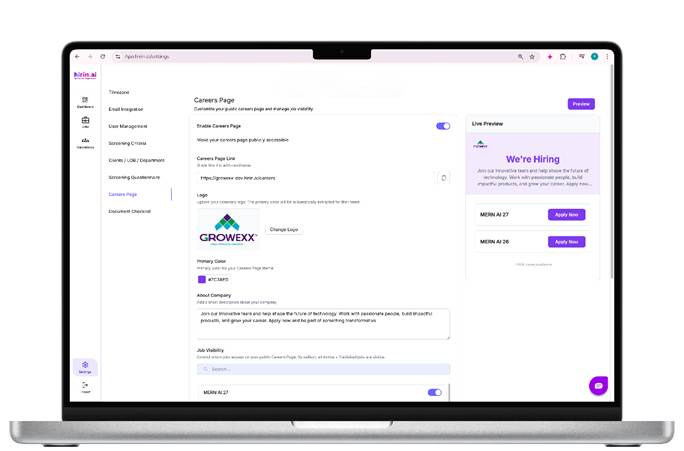
Figure 1: Step 1: Open Careers Page Settings
Step 2: Enable Careers Page
- Toggle Enable Careers Page → ON
- This makes the Careers Page publicly accessible
- All active jobs will now appear automatically.
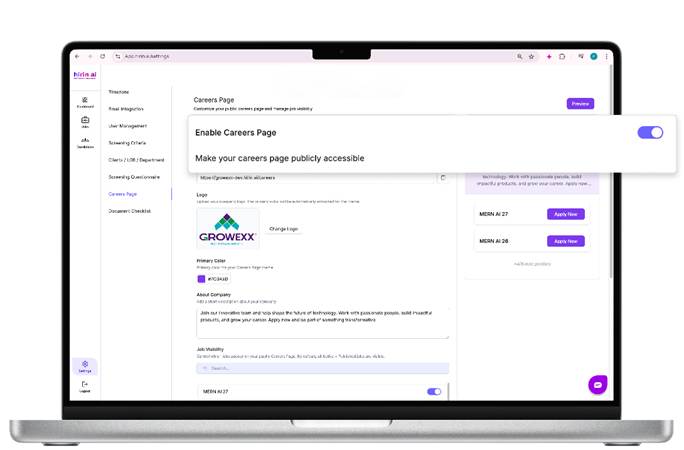
Figure 2: Step 2: Enable Careers Page
Step 3: Copy Careers Page Link
- A Careers Page URL is auto-generateExample: https://<company>.hirin.ai/careers
- Use this link to:
- Share with candidates
- Add to LinkedIn job posts
- Redirect from your company website
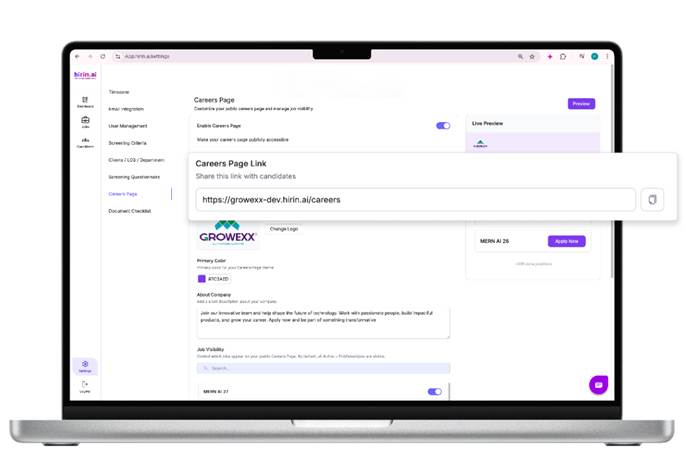
Figure 3: Step 3: Copy Careers Page Link
Step 4: Upload Company Logo
- Upload your company logo
- The system automatically picks a primary brand colour
- This color is applied to:
- Apply buttons
- Highlights
- Call-to-action sections
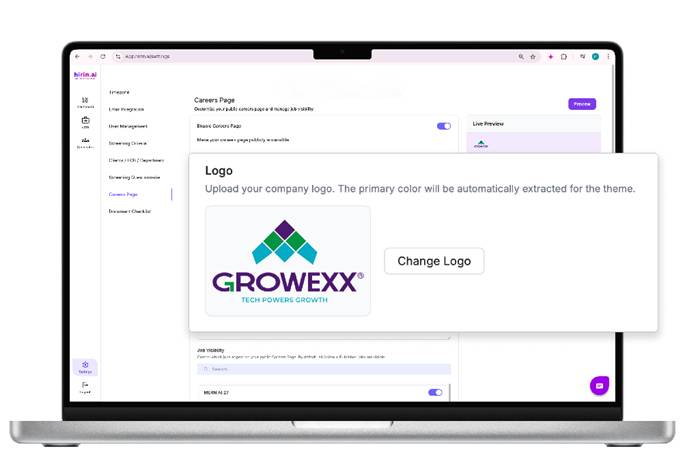
Figure 4: Step 4: Upload Company Logo
Step 5: Set Primary Color (Optional)
- You can manually change the Primary Color if required
- Recommended to match brand guidelines
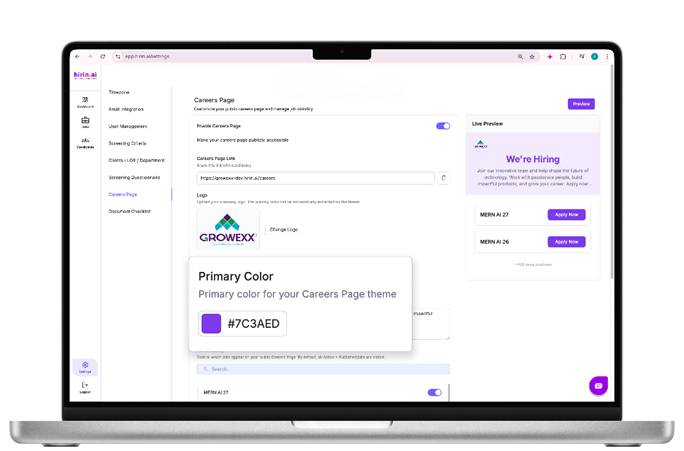
Figure 5: Step 5: Set Primary Color (Optional)
Step 6: Add About Company Text
- Add a short company description shown on the Careers Page hero section.
- Tip: Keep it short (2–3 lines), friendly, and candidate-focused.
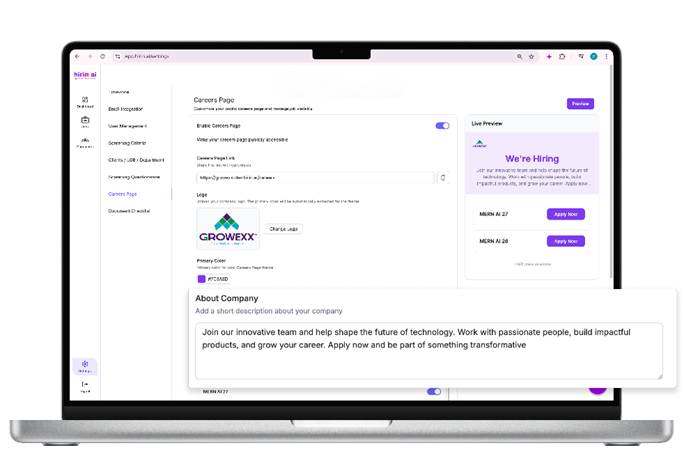
Figure 6: Step 6: Add About Company Text
Step 7: Preview Careers Page
- Click Preview (top-right)
- Review branding, content, and job listings
- Ensure logo, text, and jobs look correct before sharing.
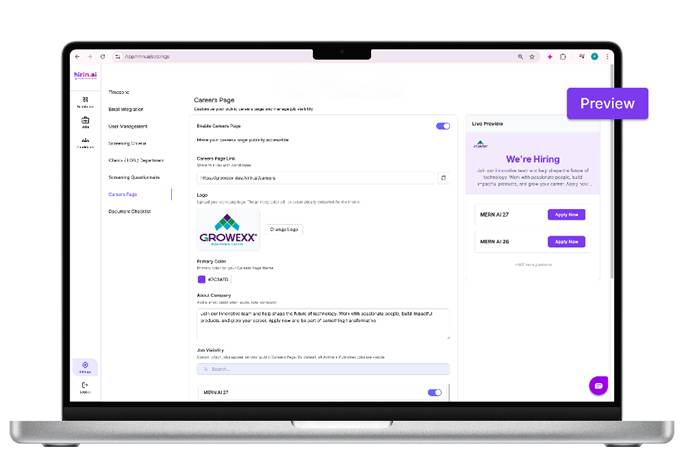
Figure 7: Step 7: Preview Careers Page
Careers Page Experience
- Company branding & logo
- “We’re Hiring” headline
- Company mission statement
- Live count of open positions
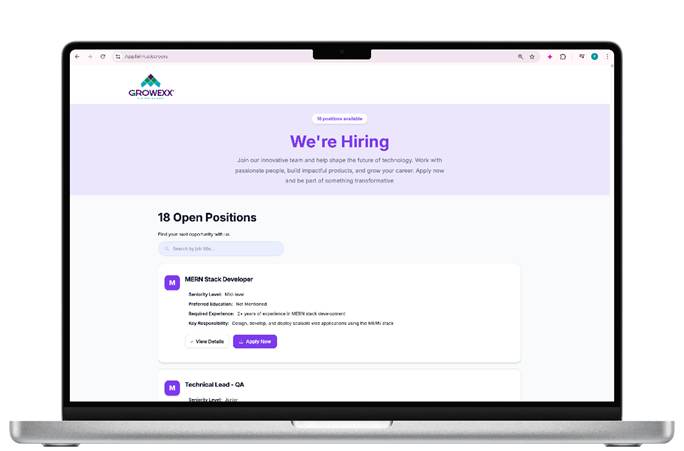
Figure 8: Careers Page Experience
Job Listings
- Latest jobs shown first
- Job title & short description
- View Details and Apply Now buttons
Apply Flow
- Click Apply Now
- Upload resume
- Application is submitted instantly
- All applications appear immediately in Hirin.ai.
SEO & Visibility (Auto-enabled)
- sitemap.xml is auto-generated
- Includes all published job URLs
- Helps search engines index jobs faster
- No additional setup needed.
You’re Live
Your Careers Page is now ready to:
- Attract candidates
- Centralize applications
- Share jobs easily across channels
That’s it — setup completed in minutes.
Was this article helpful?
That’s Great!
Thank you for your feedback
Sorry! We couldn't be helpful
Thank you for your feedback
Feedback sent
We appreciate your effort and will try to fix the article