Understanding the Statuses
- Draft – saved but not published; not visible on the Careers Page and not accepting applications.
- Active – published, visible on the Careers Page, and accepting applications; automated workflows run.
- Close – closed or filled; removed from the public Careers Page. Candidate records are retained for reporting.
- On the Jobs page you can filter by status using the tabs at the top: All, Active, Draft, and Close.
Step-by-Step Process
1. Open the Jobs page
After logging in, click Jobs in the left sidebar. You are taken to the Jobs page.
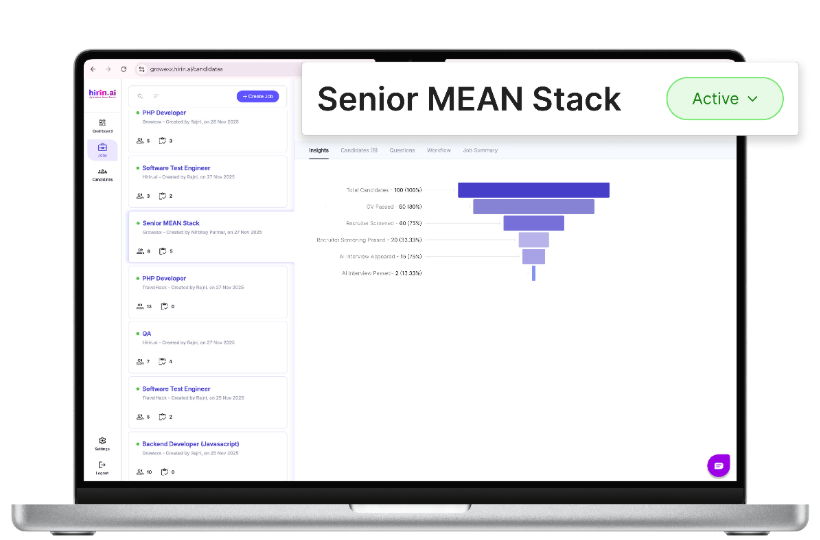
Figure 2: Jobs page with status filter tabs (All / Active / Draft / Close)
2. Open the job and change its status
- Click the job whose status you want to change — the details panel opens on the right (Insights, Candidates, Questions, Workflow, Job Summary).
- At the top, next to the job title, use the status control (e.g. the Active dropdown).
- Select the new status and confirm if prompted. The change takes effect immediately.
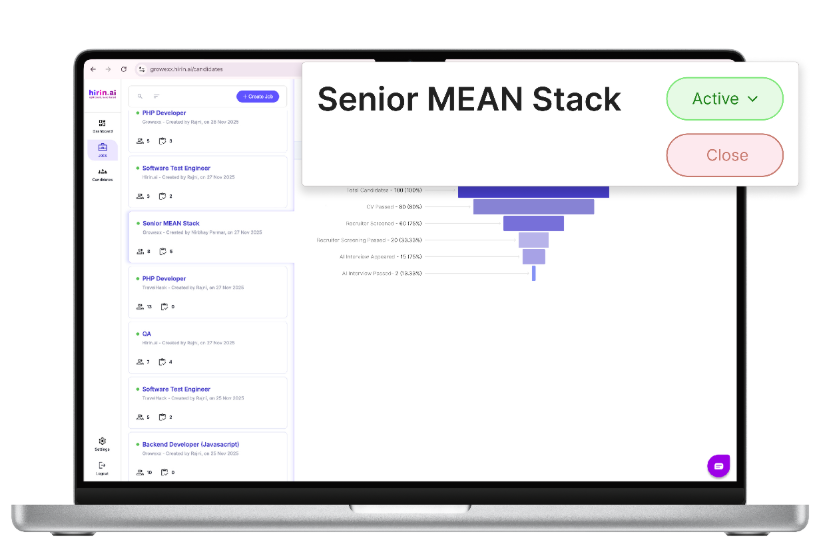
Figure 3: Status control beside the job title
Candidate Intake & Routing Rules (When Closing a Position)
When closing a position, you now have greater control over how candidates are managed through the Candidate Intake & Routing Rules panel.
Accept New Applicants
Decide whether the closed position continues accepting applications. If enabled:
- New applicants are automatically moved to Good for Future.
- Existing active candidates in the pipeline are also moved to Good for Future.
Run CV Screening
An optional setting for new applications received after closure:
- Automatically performs CV Screening on new applications.
- Consumes 1 Zena Coin per CV screened.
- Available only when Accept New Applicants is enabled.
Default Settings
- Accept New Applicants → OFF
- Run CV Screening → OFF
This gives recruiters flexibility in handling future applicants while keeping closed positions organized.
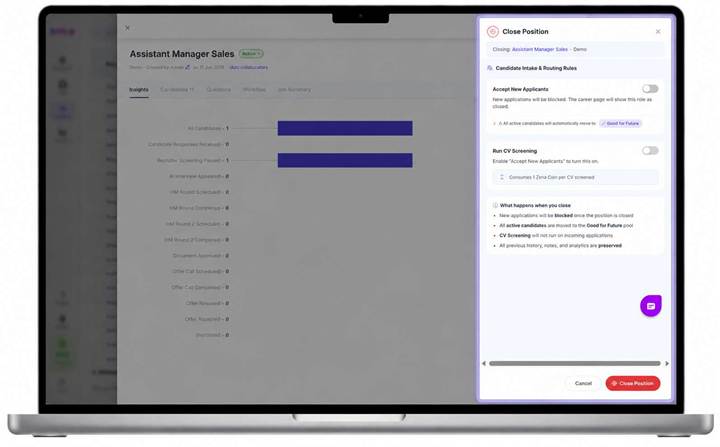
Figure 4: Candidate Intake & Routing Rules panel shown when closing a position
Was this article helpful?
That’s Great!
Thank you for your feedback
Sorry! We couldn't be helpful
Thank you for your feedback
Feedback sent
We appreciate your effort and will try to fix the article