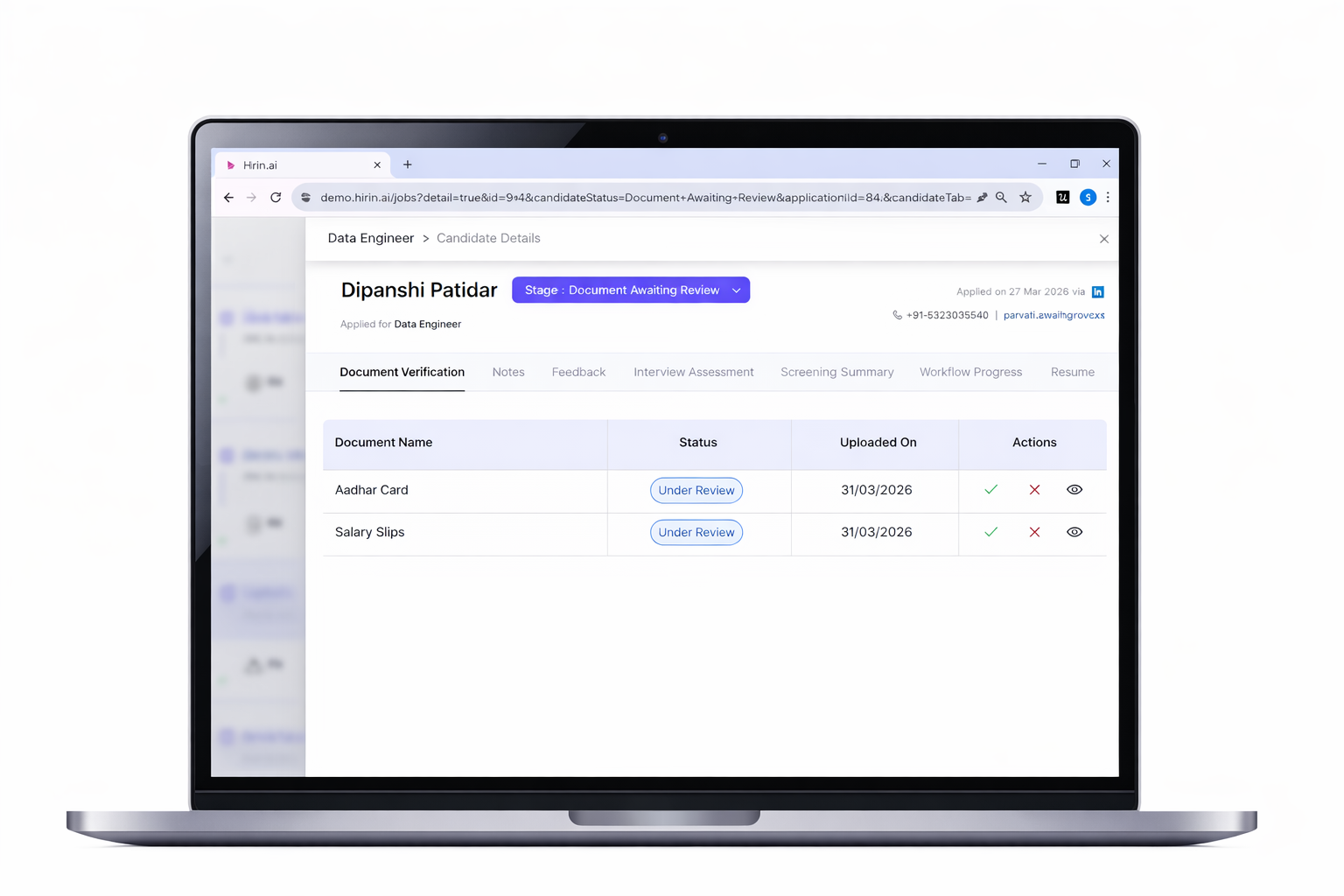
All candidate documents are accessible from:
Candidate Details → Document Verification Tab
Actions Available for Recruiters
Recruiters can perform the following actions from the Document Verification tab:
- Preview uploaded documents
- Approve valid document submissions
- Reject incorrect or incomplete documents
- Request re-uploads from candidates if needed
Gives you complete control over document validation
Stage Movement After Verification
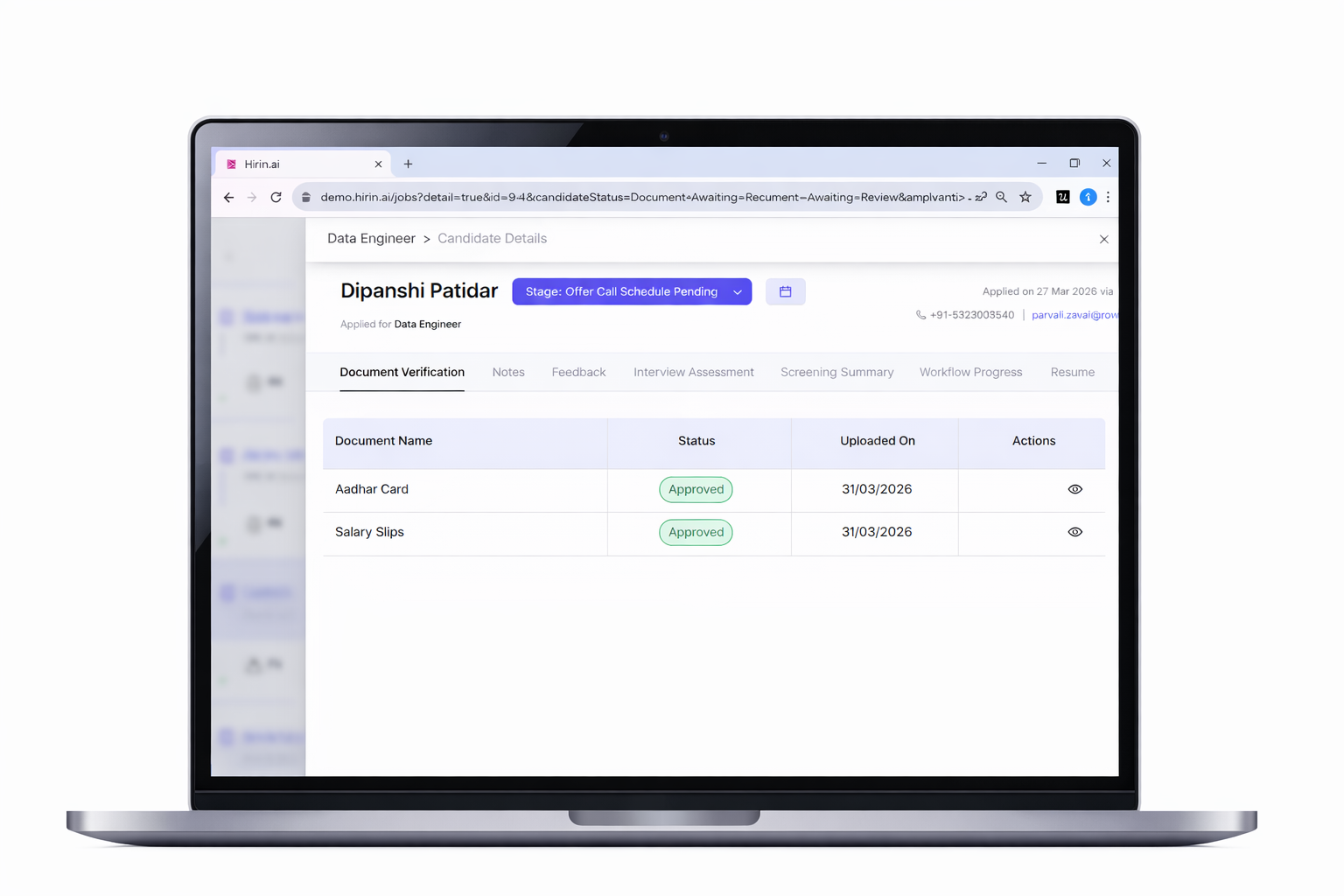
- Once all required documents are approved, the candidate is automatically moved to the next stage in the hiring workflow.
No manual stage updates are required
Important Notes
- AI verification assists in reducing manual errors, but final approval is controlled by recruiters.
- Recruiters can contact candidates directly to check for their rejected documents.
Value for You
- Save time with AI-assisted document screening
- Reduce errors in document validation
- Maintain a smooth and consistent hiring workflow
- Ensure candidates progress faster without delays
Helps you focus on decision-making while Hirin handles the repetitive checks.
Was this article helpful?
That’s Great!
Thank you for your feedback
Sorry! We couldn't be helpful
Thank you for your feedback
Feedback sent
We appreciate your effort and will try to fix the article