Add & Remove Collaborators

Modified on Thu, 7 May at 11:31 AM


Overview

This guide explains how to give team members access to a specific job in Hirin.ai and manage who can work on it.

Who is Collaborator

A collaborator is any team member who needs access to a job to contribute or stay updated on hiring progress.

This can include:

  • Recruiters working on the same position 
  • Hiring team members requiring visibility into the process 

Collaborators can review candidates, participate in hiring activities, and track updates based on their role permissions.

Accessing Collaborators

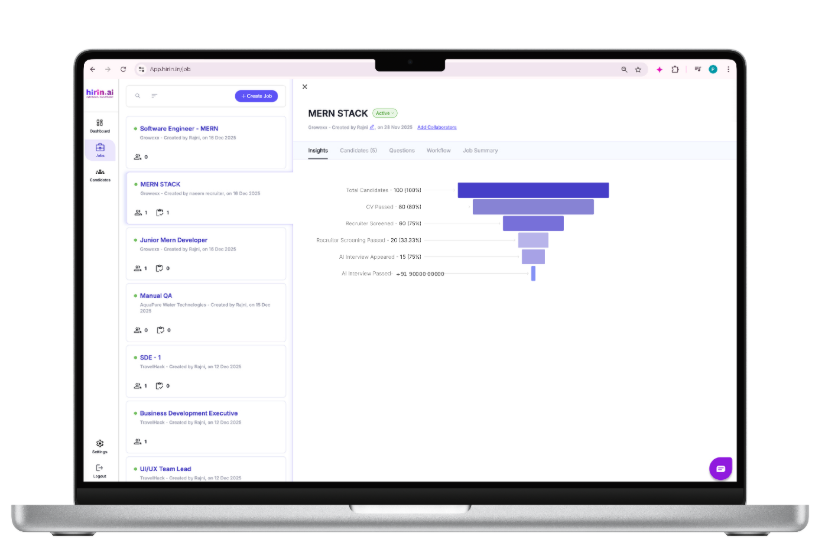
  • Open a job to view its details page, where you’ll see sections like Insights, Candidates, Questions, Workflow, and Job Summary.
  • To manage access, simply click Add Collaborators or Manage Collaborators near the job title.
Adding Collaborators

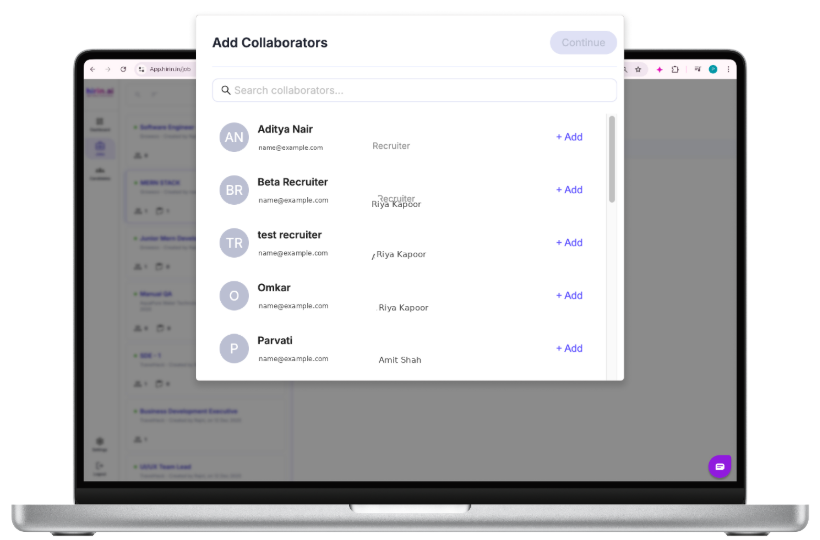
When you click Add Collaborators, a list of users in the system will appear.

You can:

Search users by name or email 

  • View their role (Admin or Recruiter) 
  • Click “+ Add” to include them 
  • Selected users will be marked as Added 
  • Multiple collaborators can be added at once 

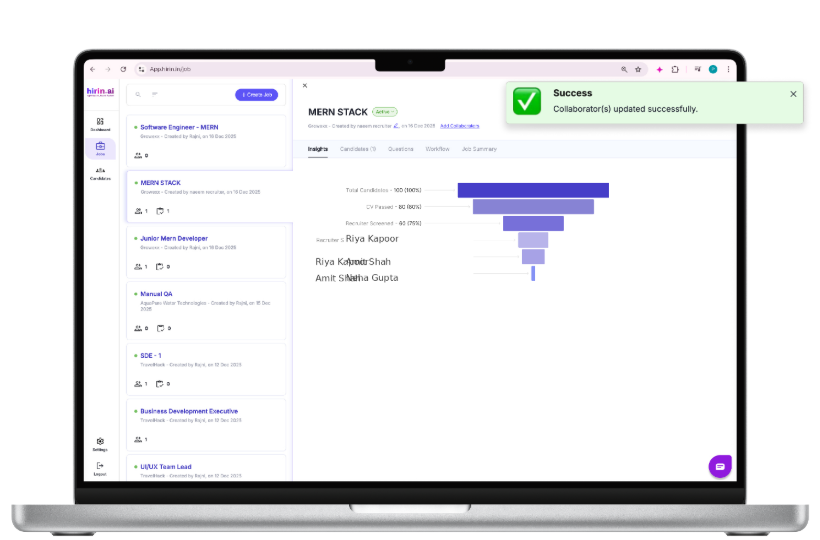
Click “Continue” to save changes.

What Happens Next?

After saving, the selected users will immediately gain access to the job.

They’ll be able to:

  • Review candidates 
  • Screen applicants 
  • Perform other hiring tasks based on their role permissions


Manage or Remove Collaborators

To update or remove collaborators:

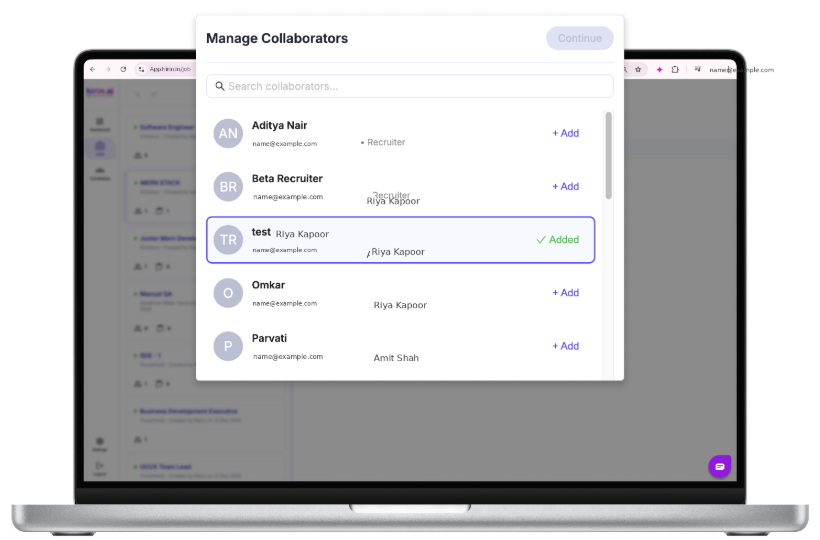
  • Click Manage Collaborators on the job details page 
  • A window will open showing the current list of collaborators


In this window:

  • Selected users are your current collaborators 
  • You can remove someone by deselecting them 
  • Click Continue to save your updates. 

Key Points to Remember

  • Only Admins and the Job Creator can add or remove collaborators 
  • Only added collaborators can access and work on a job 
  • Both Admins and Recruiters can add collaborators 
  • Changes take effect immediately after clicking Continue

Value for You

  • Improve collaboration across hiring teams 
  • Provide controlled access to specific jobs 
  • Keep recruiters and stakeholders aligned 
  • Ensure better visibility and faster hiring decisions 
  • Helps teams work together seamlessly while maintaining access control


Was this article helpful?

That’s Great!

Thank you for your feedback

Sorry! We couldn't be helpful

Thank you for your feedback

Let us know how can we improve this article!

Select at least one of the reasons
CAPTCHA verification is required.

Feedback sent

We appreciate your effort and will try to fix the article